

Create the module
Section titled “Create the module”The module holds everything in the support system and gives it its entry in the sidebar.
-
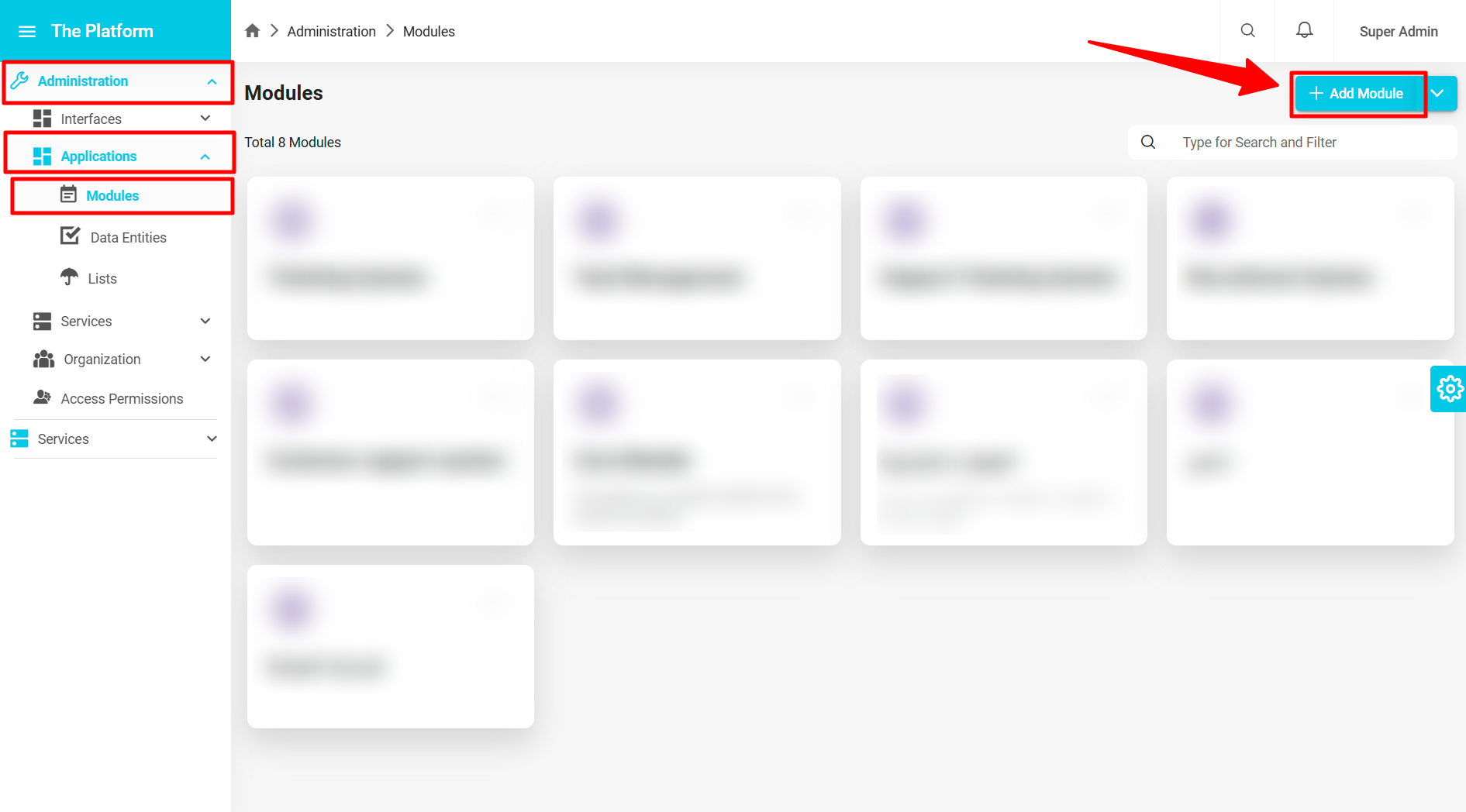
Open Administration › Applications › Modules and select Add Module.
-
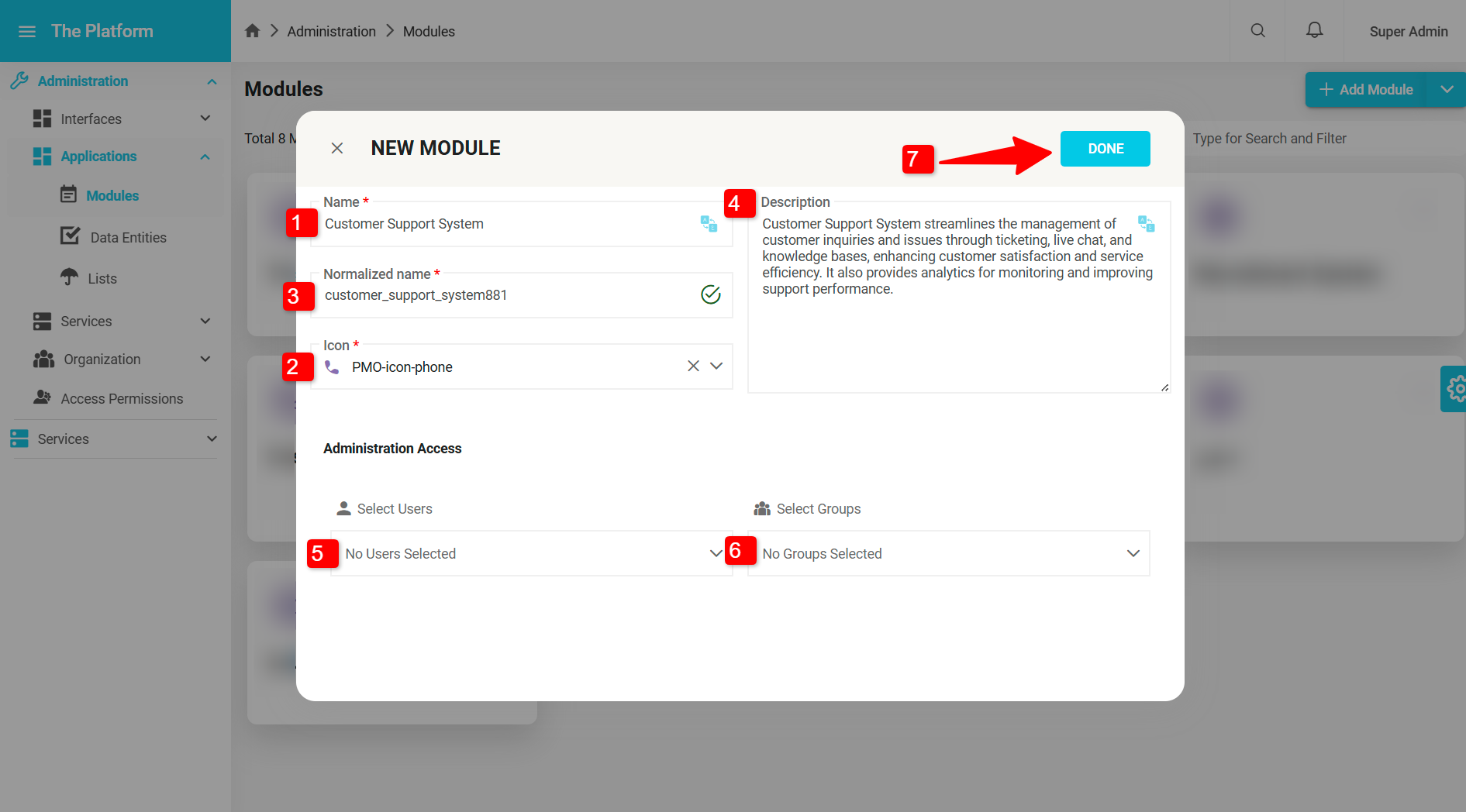
In the New Module dialog, fill in:
- Name — Customer Support System, in Arabic and English.
- Normalized name — keep the one filled in for you. It cannot be changed after the module is created.
- Icon — phone.
- Description — optional.
- Administration Access — leave empty unless other builders will work on the module.
-
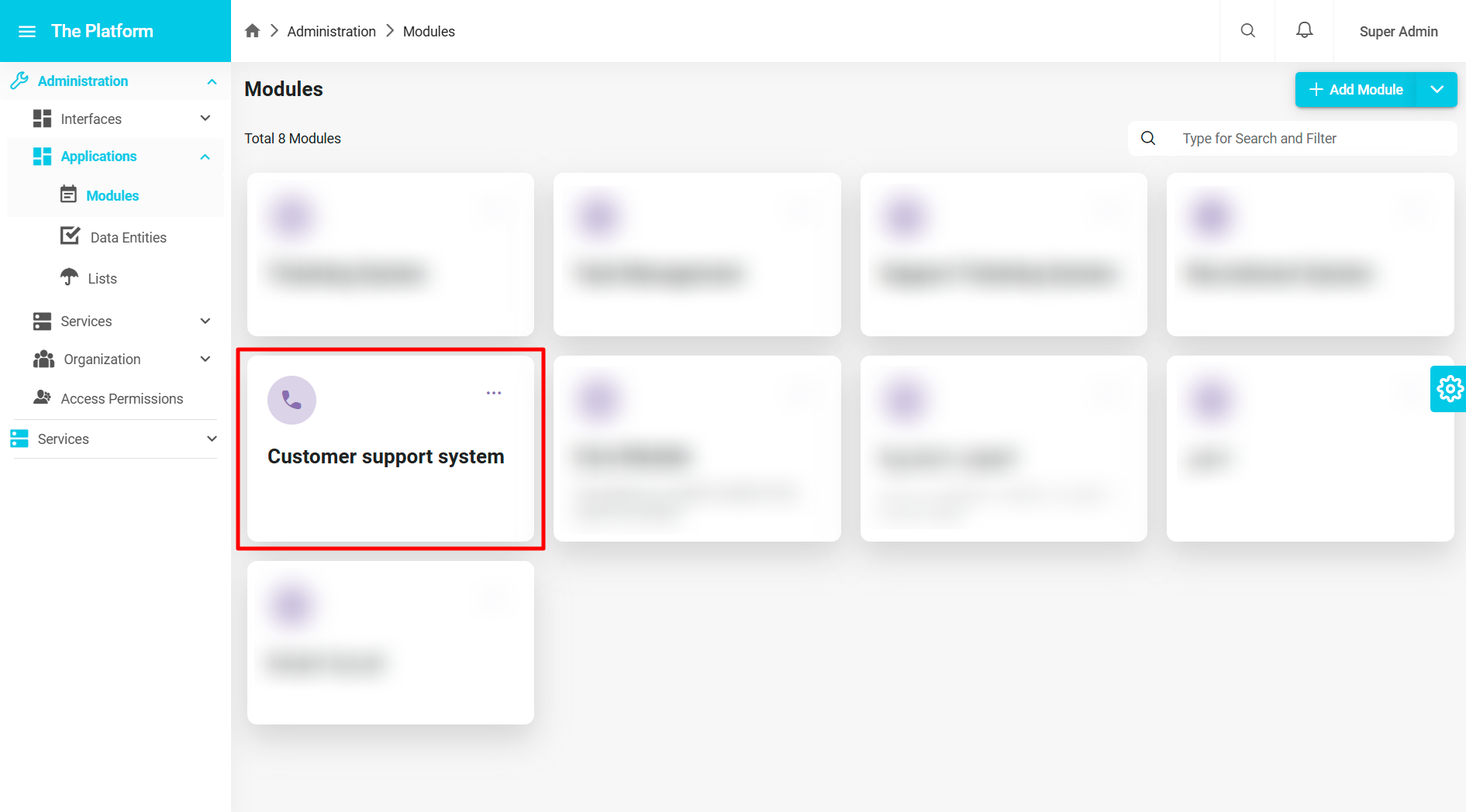
Select Done. The module is listed.
Every option is described in the recipe Creating a module.
Next: Create the entity.
Platform 1.10.0 · Backend 1.11.0-alpha.11 · Frontend 1.11.0-alpha.6 · Mobile 1.10.2 · Chart 1.11.8 · Gateway 2.6.11 · MCP 0.2.0 · Grafana DS 1.2.0Docs build 2026-11-27