

Building the Jobs Views
Section titled “Building the Jobs Views”The Jobs entity gets two views: Available jobs, a public timeline of the open vacancies that anyone can see without signing in, and All jobs, where staff create and manage jobs. Both are created on the Jobs entity. For more about views, see Views.
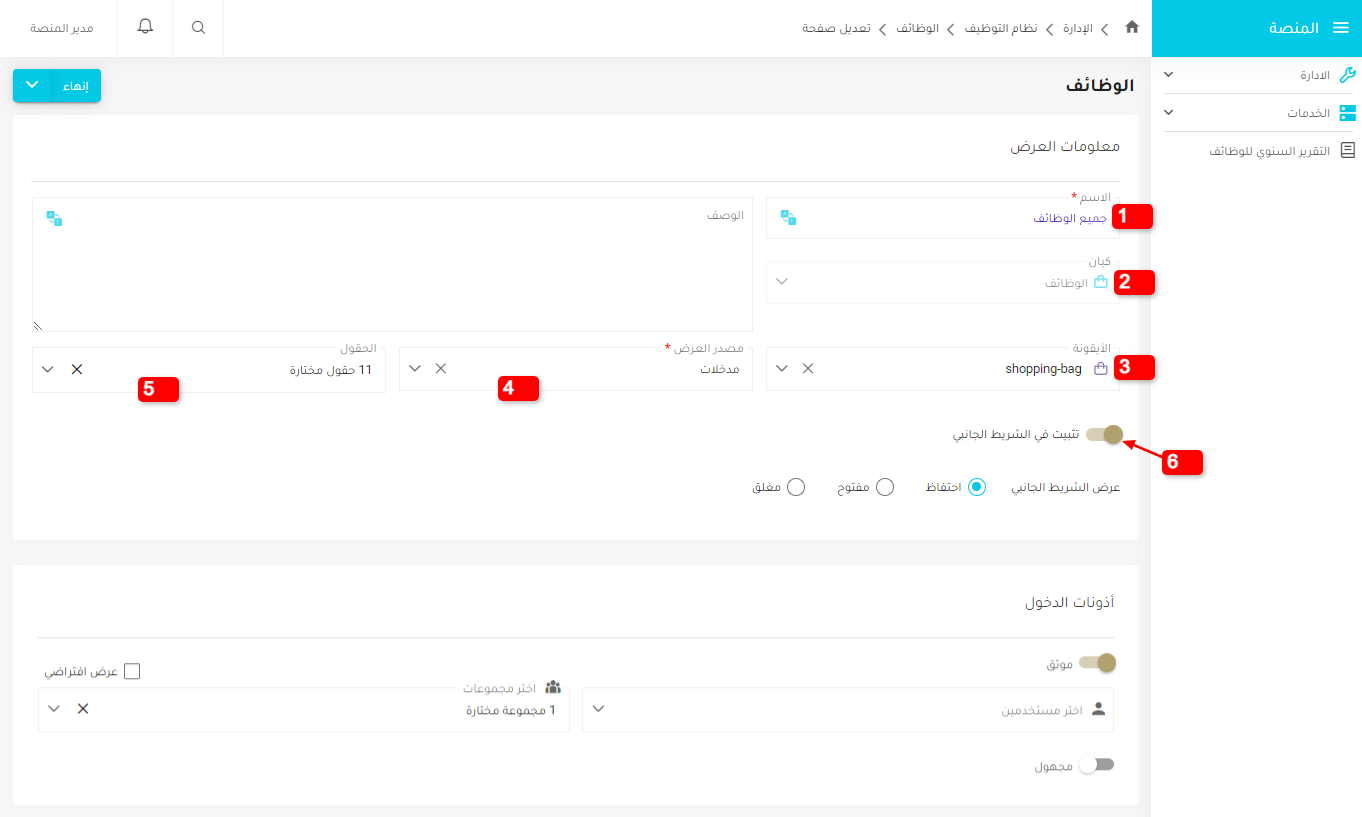
Build the “Available jobs” view
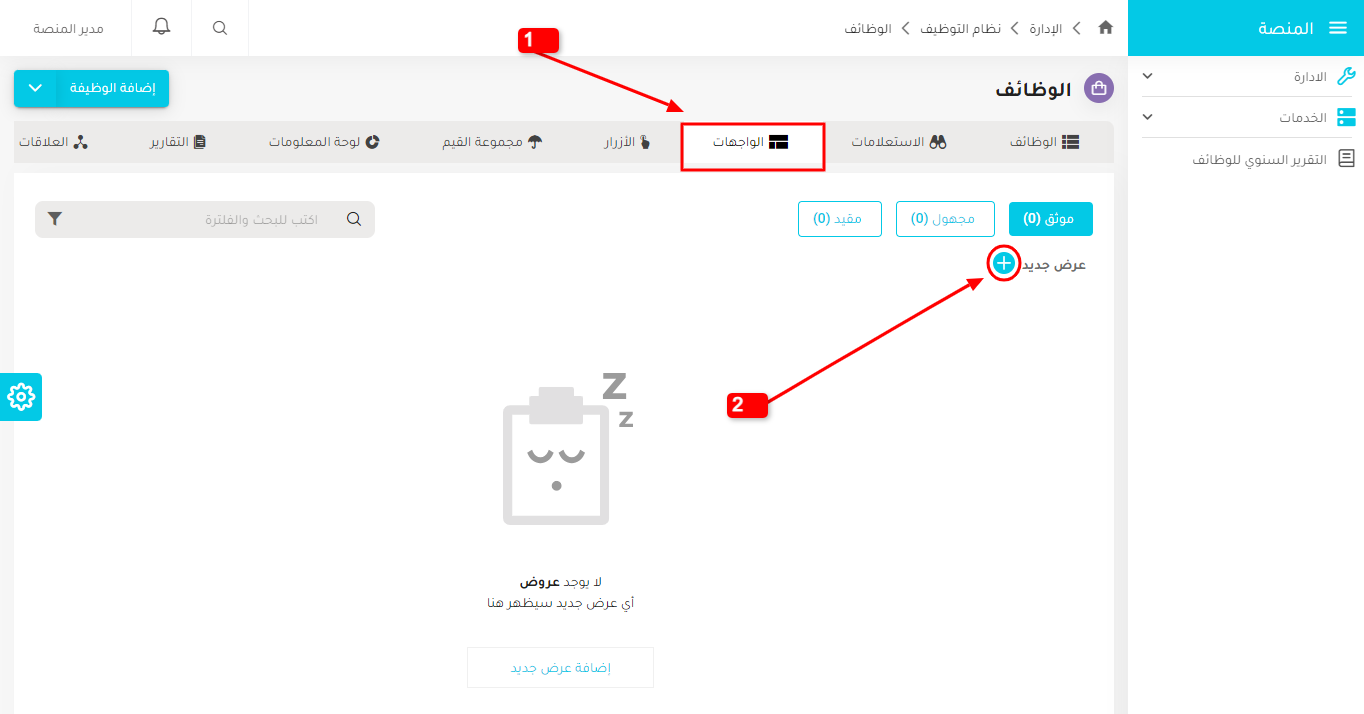
Section titled “Build the “Available jobs” view”- Open the Jobs entity.
- Open the Views tab.
- Select the + next to New View.
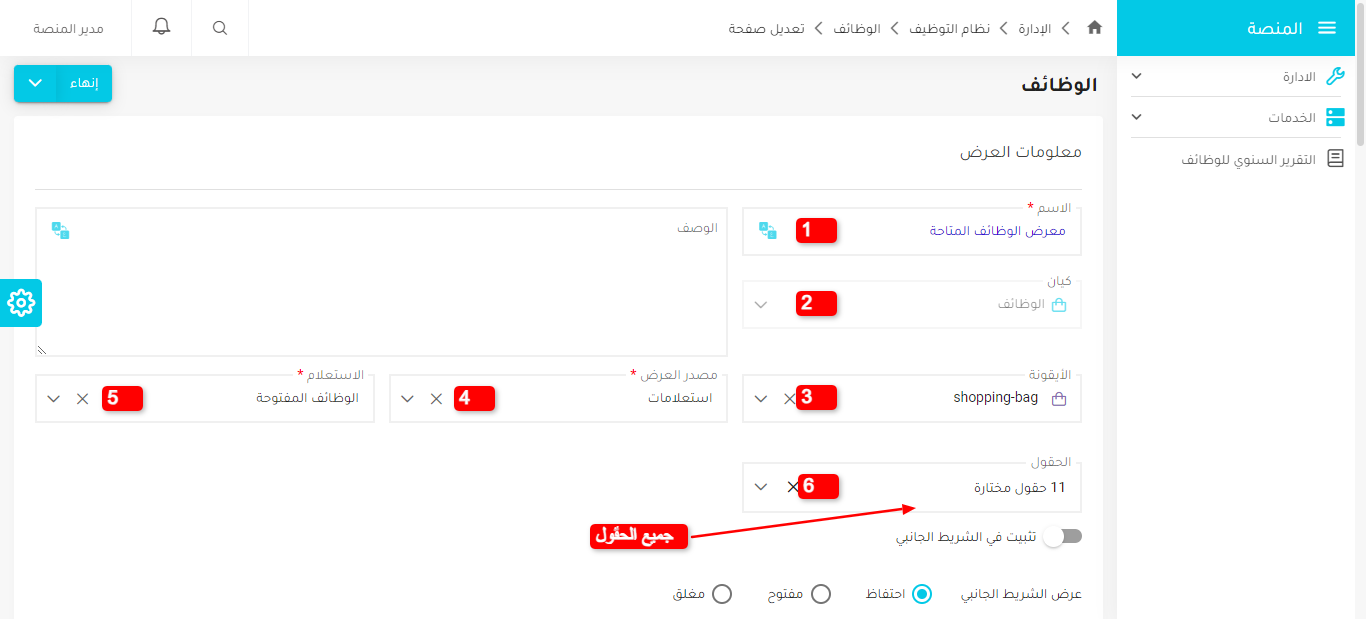
- In View information, fill in:
- Name: Available jobs.
- Icon: search.
- Source view: Queries, and in Query choose Open jobs.
- Fields: select all fields.
- Leave Pin to sidebar off.
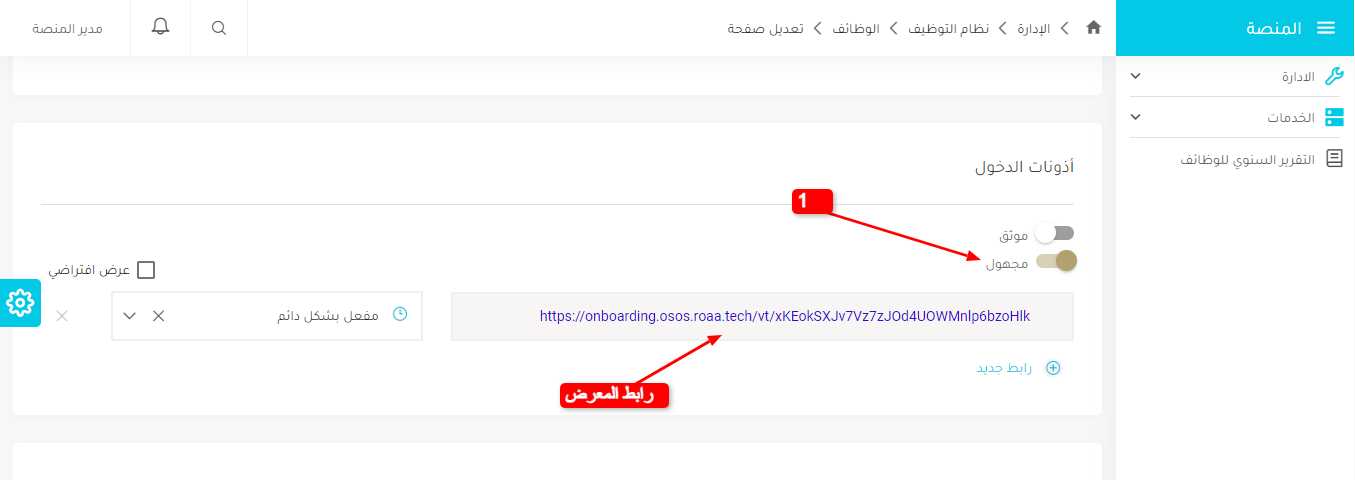
Access Permission
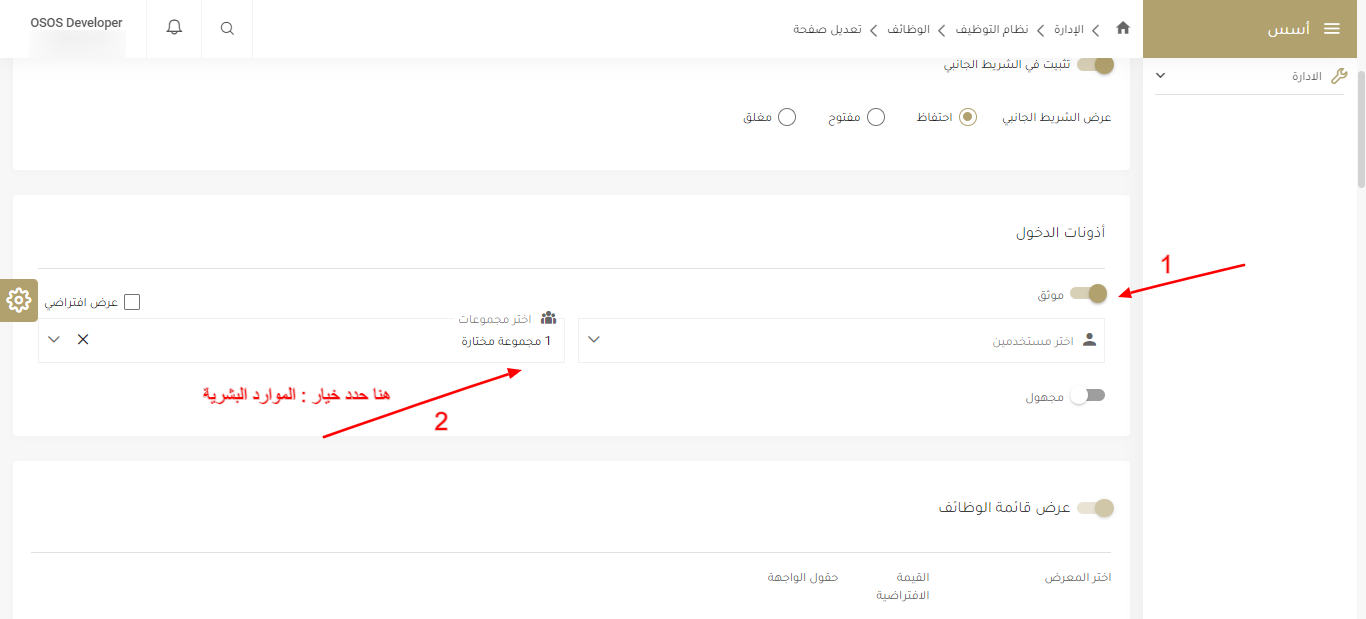
Section titled “Access Permission”- Turn on Anonymous, so the view needs no sign-in.
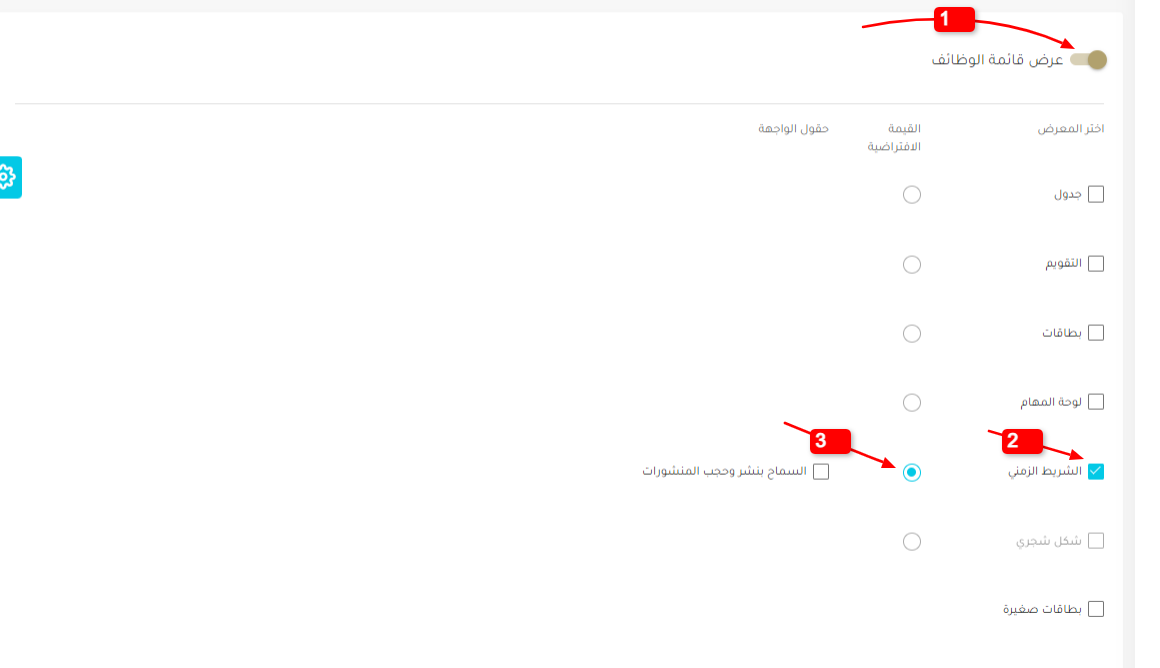
Entries list
Section titled “Entries list”Turn on Entries list. This section sets how the list of entries is displayed:
- Under Displays, select Timeline view and make it the Default.
Save the view
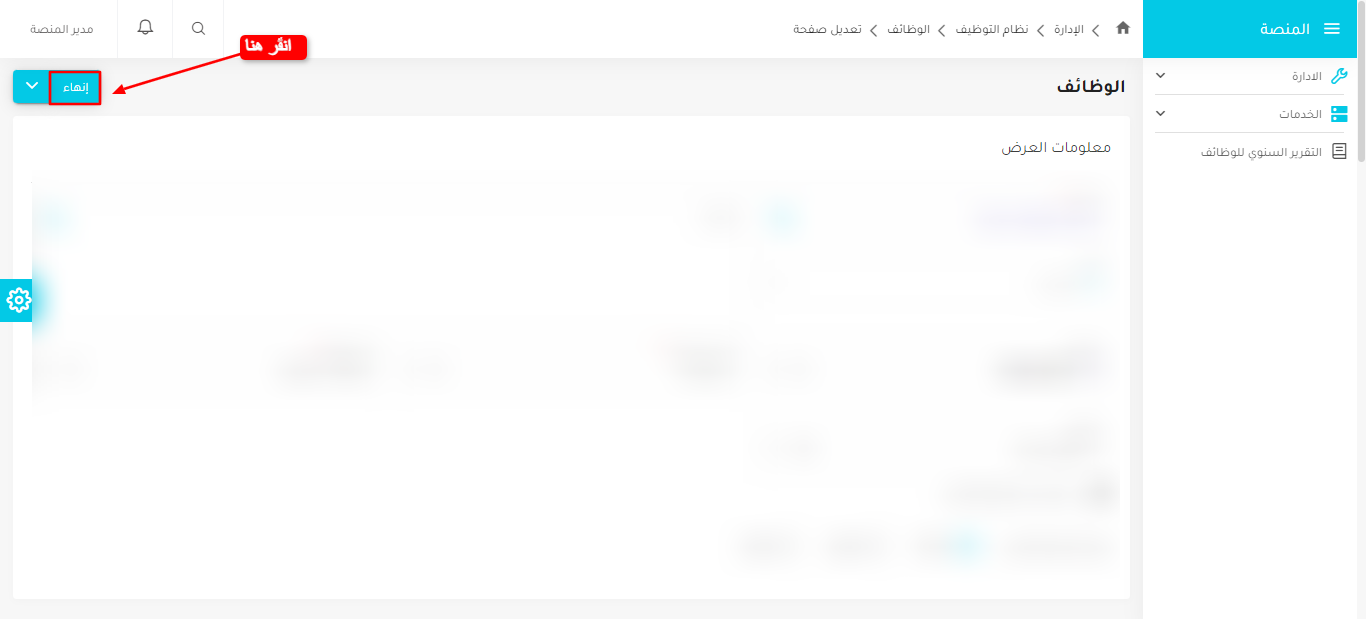
Section titled “Save the view”- Select Save at the top of the view designer.
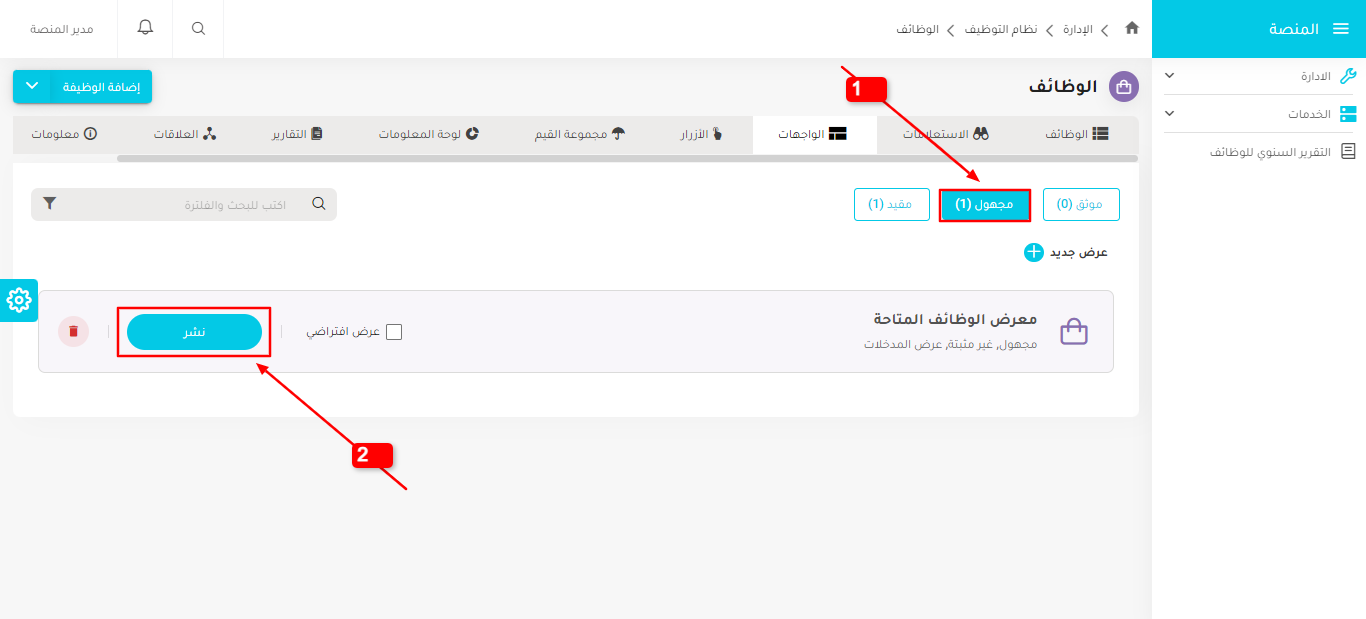
- Back in the list of views, select Publish on the view so people can open it.
Build the “All jobs” view
Section titled “Build the “All jobs” view”- Create a second view the same way, with these settings:
- Name: All jobs. Icon: list. Source view: Entries. Fields: all fields. Turn on Pin to sidebar.
- Access Permission: turn on Authenticated and, in Select groups, choose the groups that create and manage jobs: HR, and IT (the home page’s Create a new job link opens this view for the IT team).
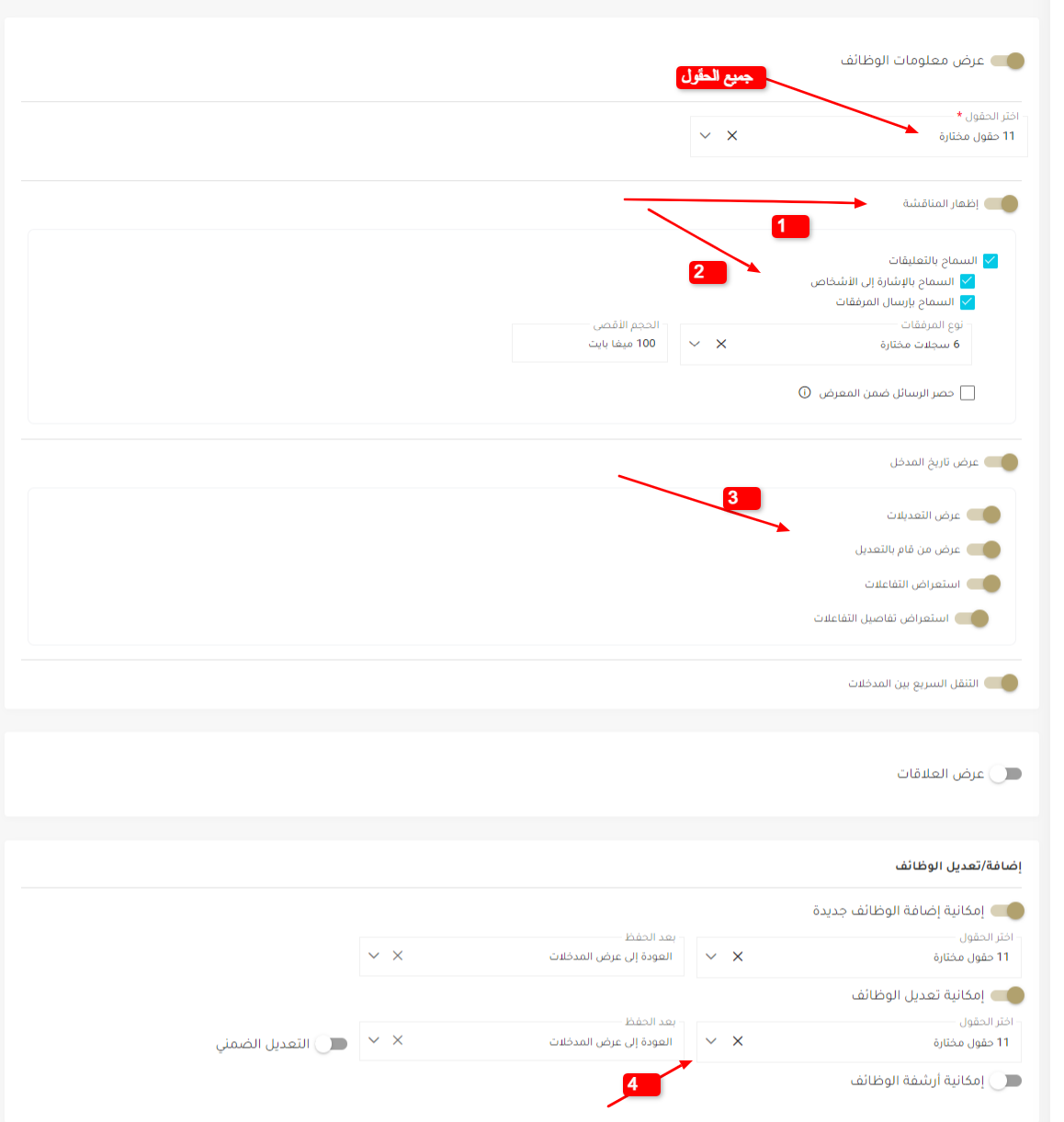
- Turn on Entries details and select all fields. You can also turn on Discussion (comments, mentions and attachments) and Entry history.
- In the section for adding and editing entries, turn on Creating new entries and Editing entries, choose all fields for each, and set After Save to Go to entries list. Leave archiving off.
- Under Quick filters, add the My jobs query with Placement Standalone toggle, and leave Default off. People who create jobs can then switch the list to their own jobs with one click. See Quick filters.
- Save and publish the view.
Platform 1.10.0 · Backend 1.11.0-alpha.11 · Frontend 1.11.0-alpha.6 · Mobile 1.10.2 · Chart 1.11.8 · Gateway 2.6.11 · MCP 0.2.0 · Grafana DS 1.2.0Docs build 2026-11-27