

Creating a Report
Section titled “Creating a Report”A report turns a query into a formatted document, and can be sent on a schedule. Here you create a yearly report of the vacancies created during the year, built on the Jobs this year query, and email it to HR as a PDF on the last day of the year.
Annual jobs report
Section titled “Annual jobs report”For more about reports, see Reports.
-
Create the report
-
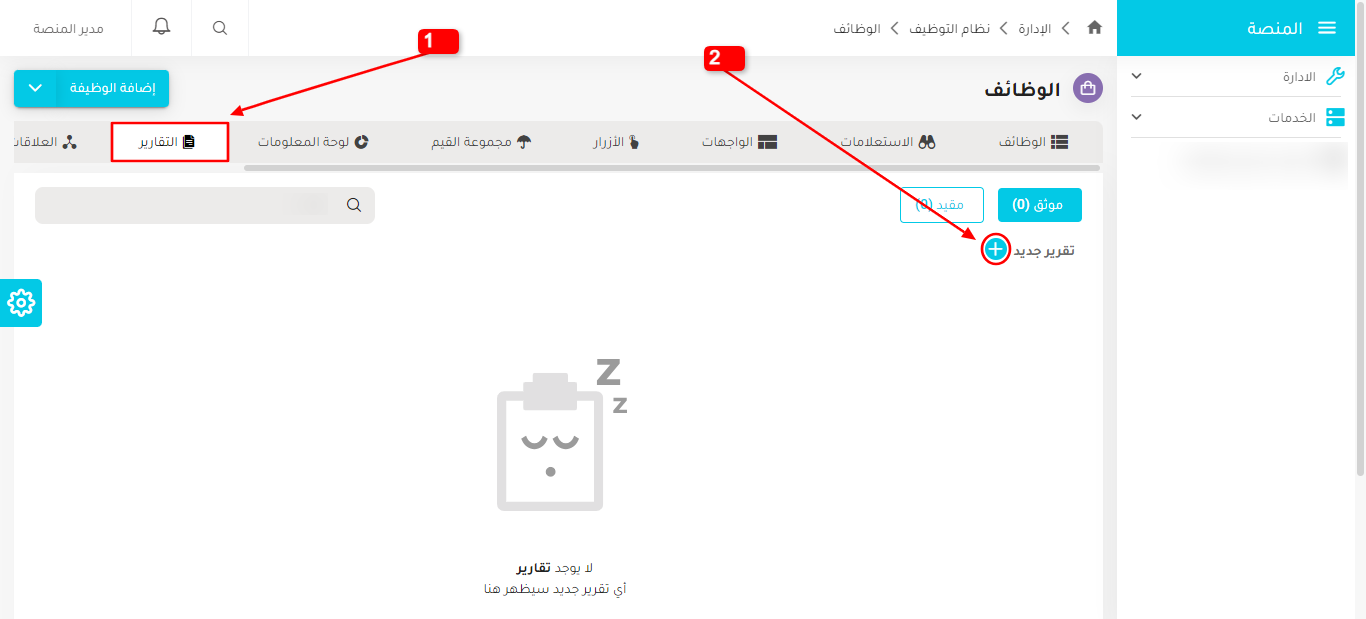
Open the Jobs entity and its Reports tab.
-
Select +.
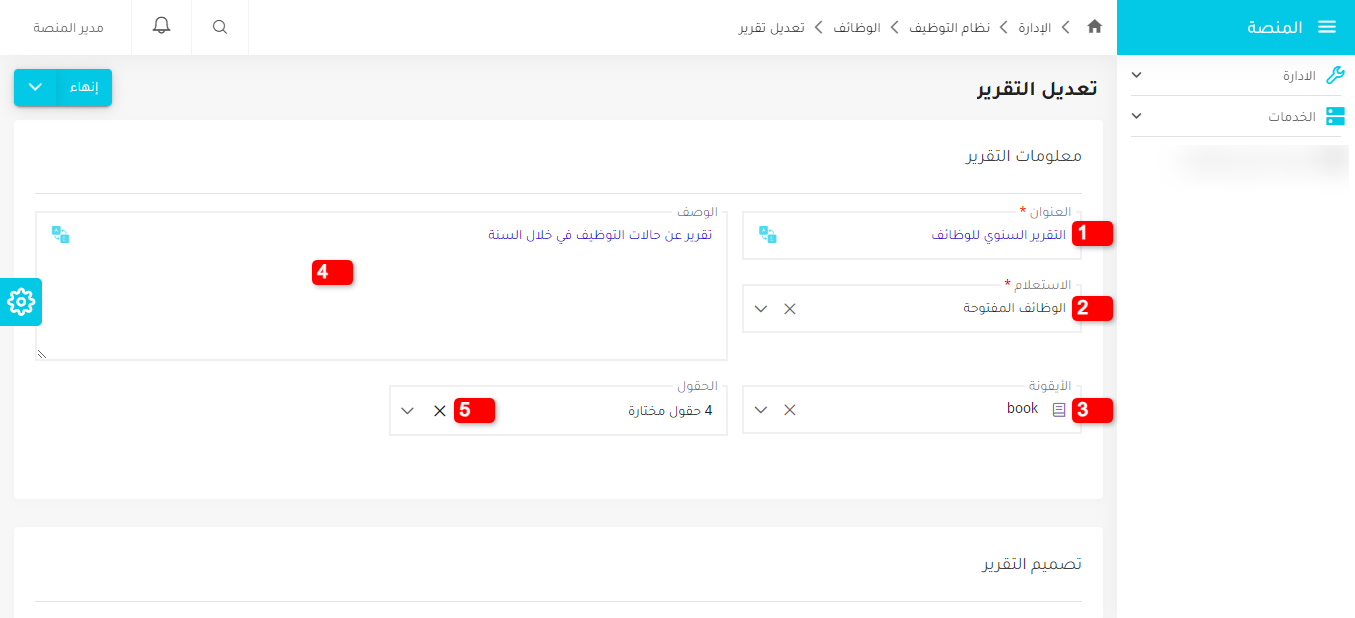
- The report page opens. In Report information, fill in:
- Title: Annual jobs report.
- Query: Jobs this year.
- Icon: book.
- Description: A report of the vacancies created this year.
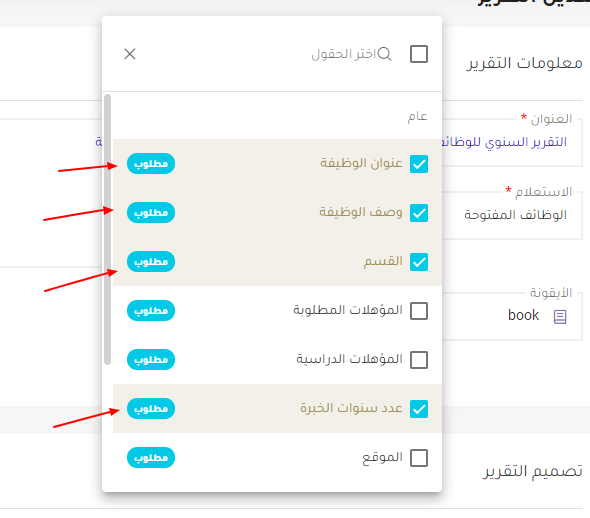
- Fields: Job title, Description, Department and Years of experience required.
The screenshots below show the Open jobs query and a schedule of 1 January; use the Jobs this year query and the schedule given in this page.
-
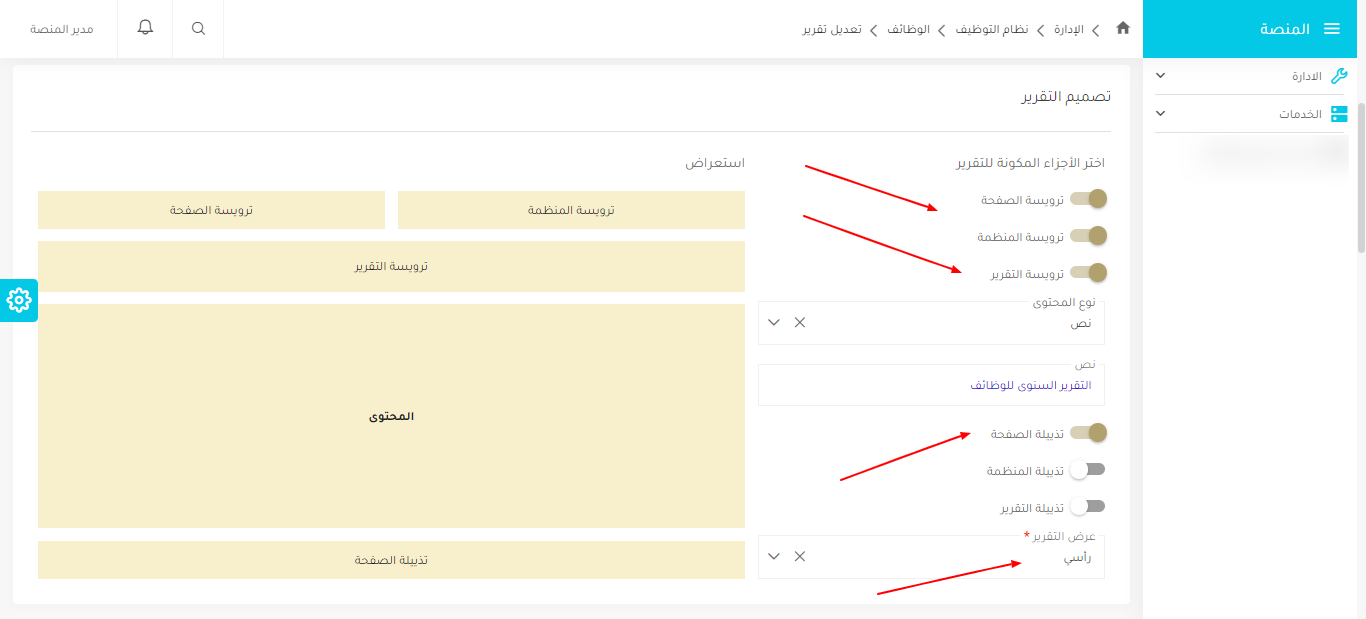
Under Report Design, turn on Page header.
-
Turn on Organization Header.
-
Turn on Report Header. Two fields appear:
-
Content Type: Text.
-
The text: Annual jobs report.
-
-
Turn on Page Footer.
-
Layout: Portrait.
-
-
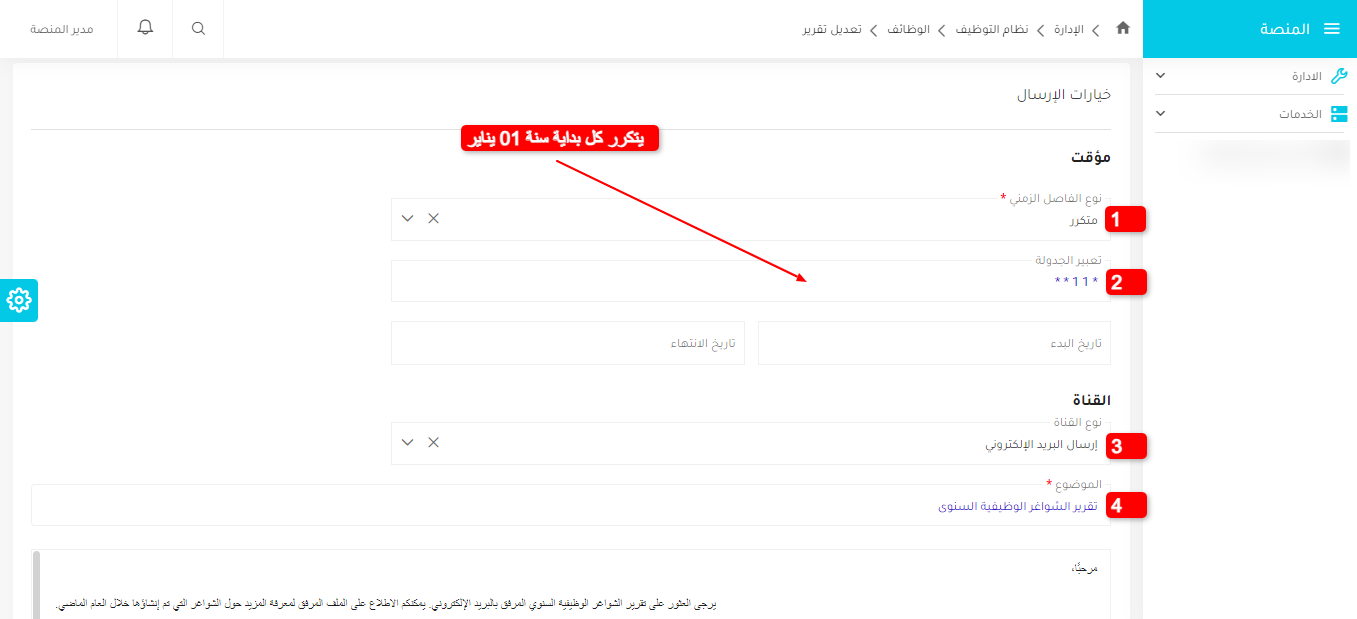
Under the sending settings, set Interval type to Repeat.
-
Cron Expression:
0 23 31 12 *, which sends the report at 23:00 on 31 December every year, while Jobs this year still covers the year that is ending.
-
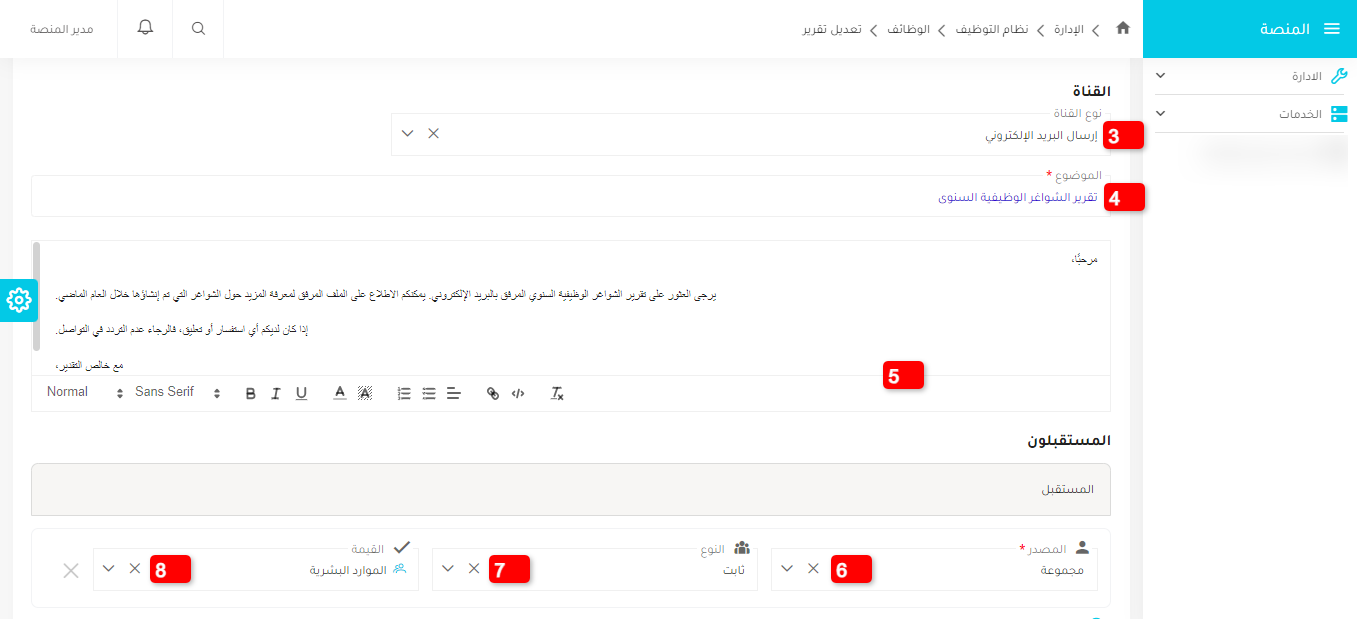
Channel Type: email.
-
Subject: Annual vacancies report.
-
Message body, for example:
Hello, Please find attached the annual vacancies report, with the vacancies created this year. If you have any questions or comments, please get in touch.
Kind regards,
-
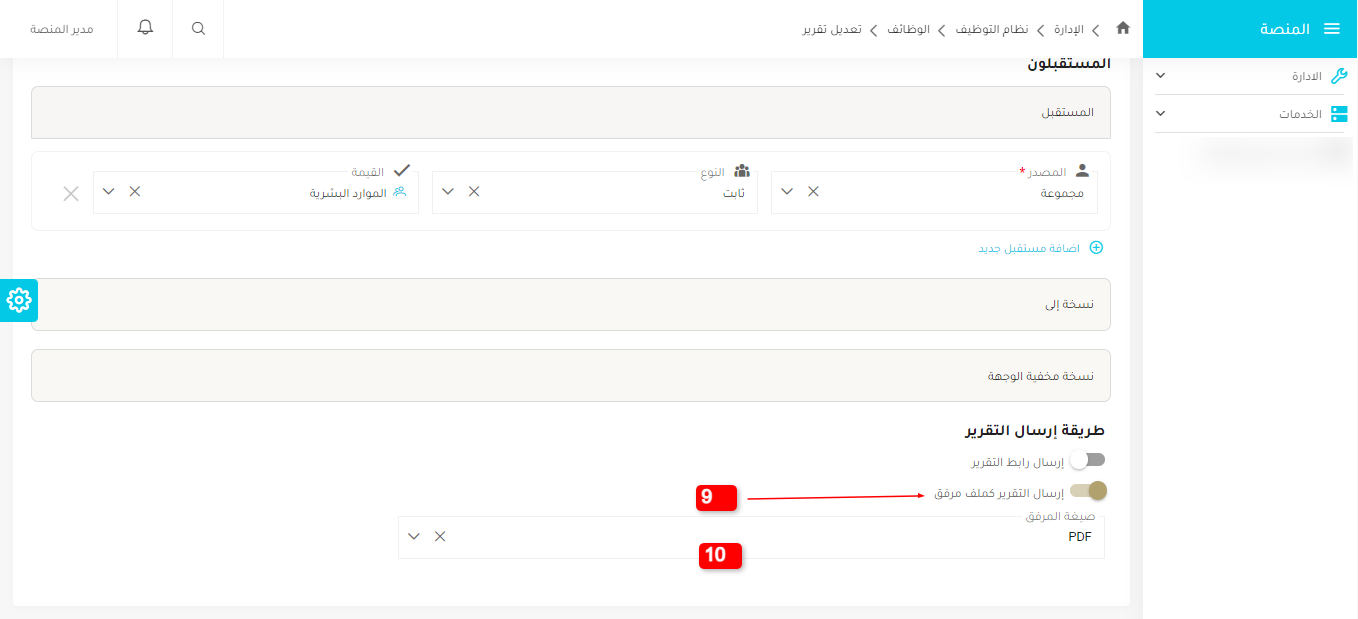
Recipients: Source Group, Type Fixed, Value HR.
- Turn on Send report attachment file, and in Attachment type choose PDF.
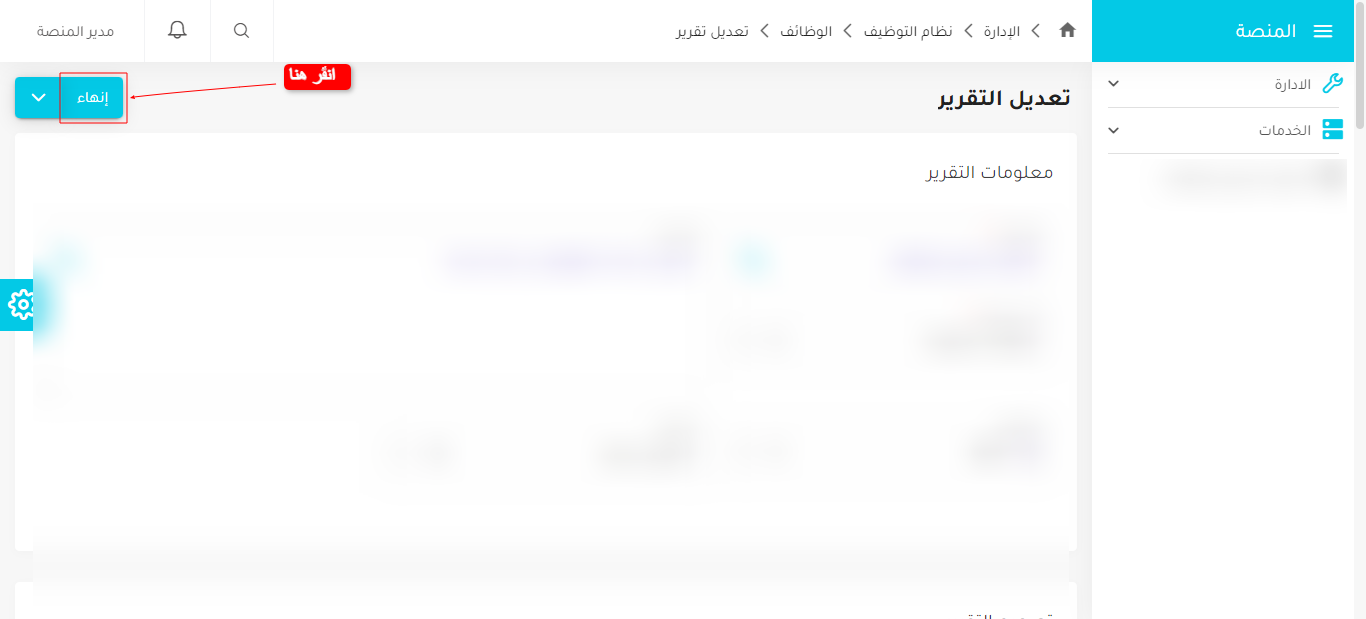
- Select Done to save the report.
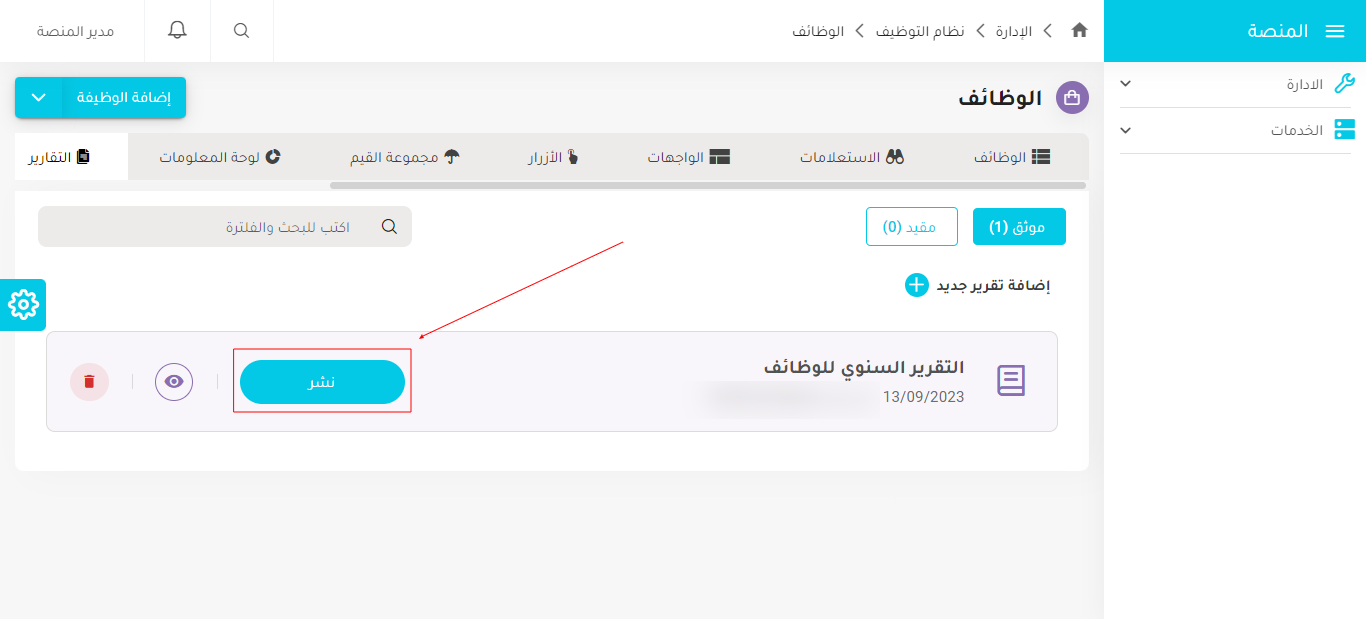
- Select Publish on the report so it is sent on its schedule.
Technical details
Cron Expression takes the standard five fields: minute, hour, day of the month,
month, day of the week. 0 23 31 12 * means minute 0, hour 23, day 31, month 12
(December), any weekday. A * in the minute field would repeat the send every
minute of that hour. Do not move the send to 1 January: by then @StartOfYear is
the new year, and Jobs this year would be almost empty.
Platform 1.10.0 · Backend 1.11.0-alpha.11 · Frontend 1.11.0-alpha.6 · Mobile 1.10.2 · Chart 1.11.8 · Gateway 2.6.11 · MCP 0.2.0 · Grafana DS 1.2.0Docs build 2026-11-27