

Dashboards
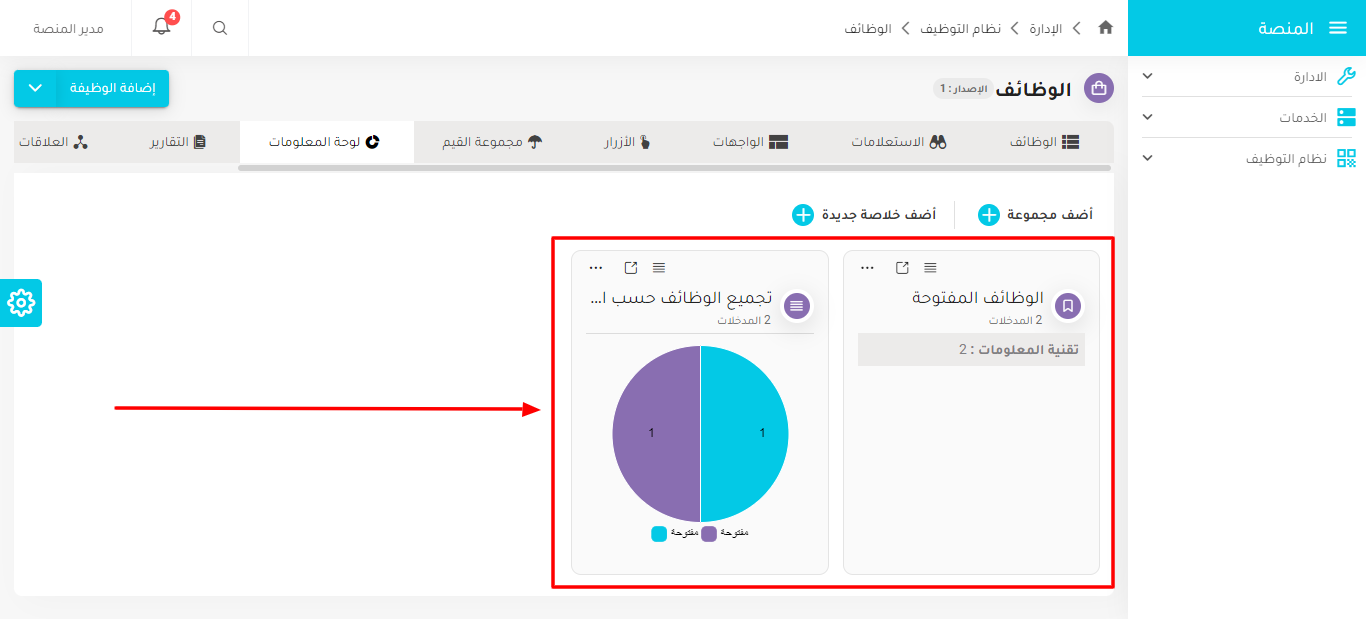
Section titled “Dashboards”Summaries give HR the key figures at a glance. You add them on the Dashboard tab of an entity, and later show some of them on the system’s home page. For more about dashboards and summaries, see Dashboards & summaries.
Jobs dashboard
Section titled “Jobs dashboard”- Open the Jobs entity.
- Open the Dashboard tab.
- Select Add Summary.
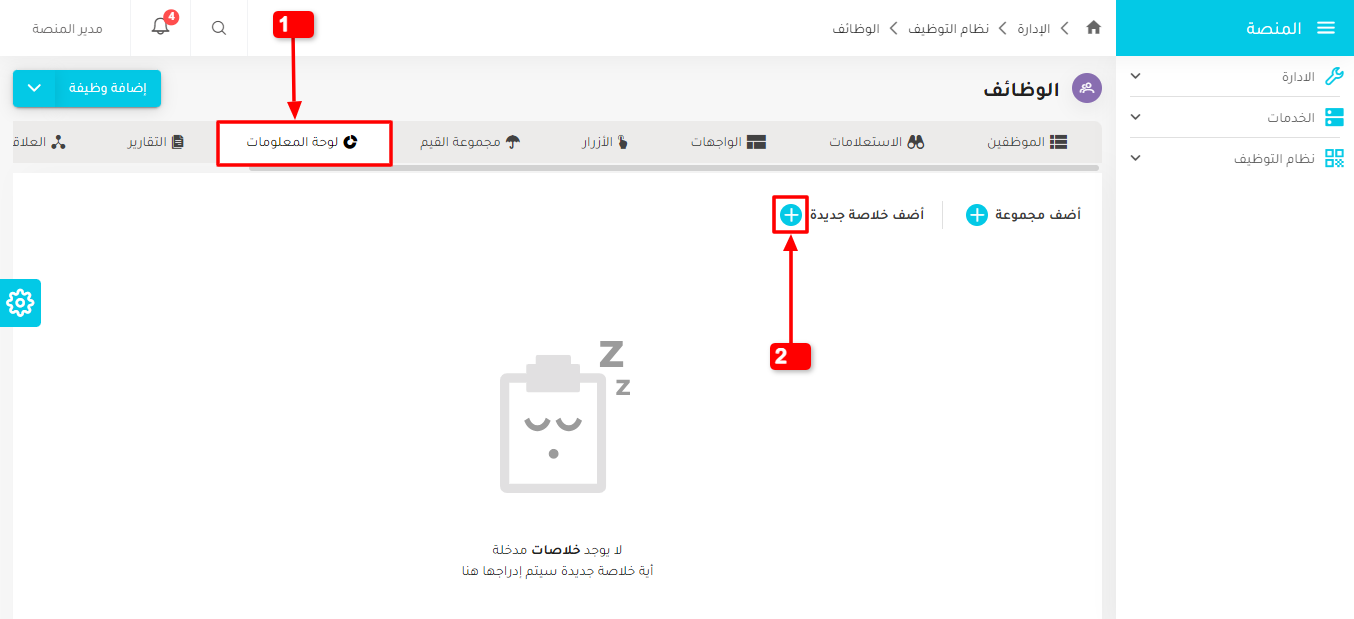
- The Summary Information form opens.
Open jobs list
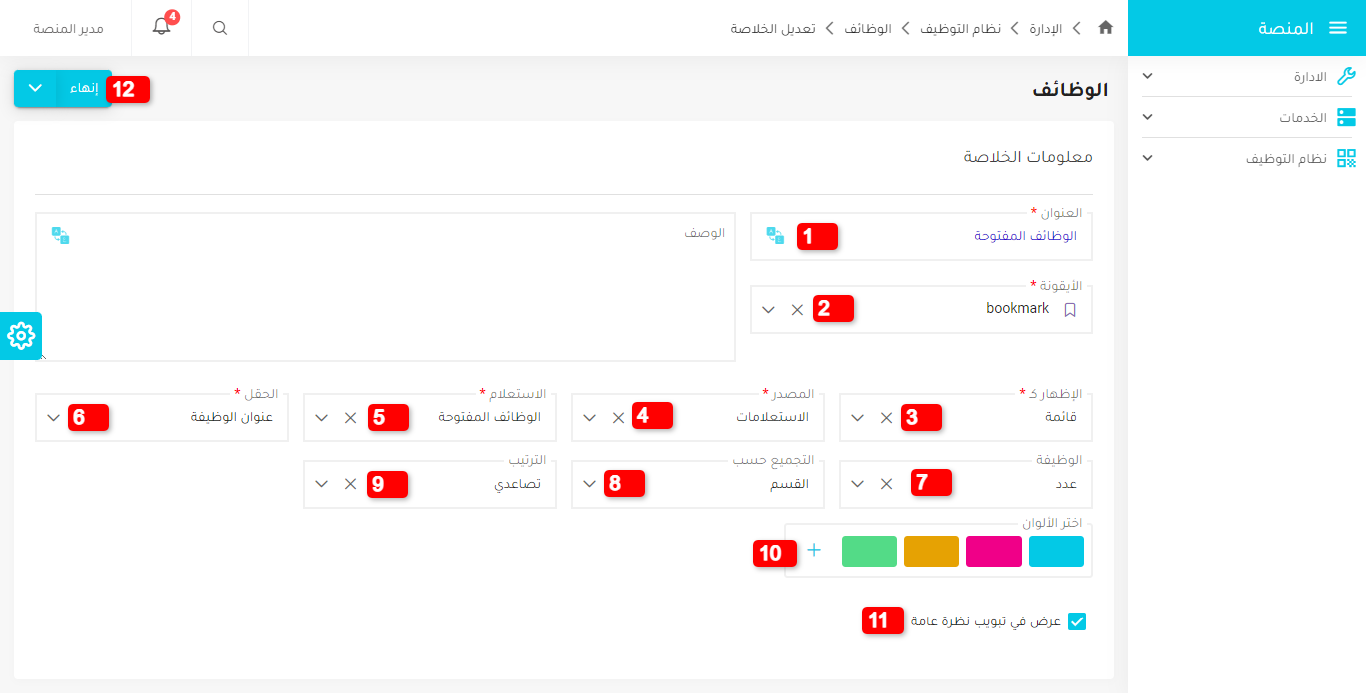
Section titled “Open jobs list”- Fill in the summary:
- Title (required): Open jobs.
- Icon (required): bookmark.
- Show as (required): List.
- Source (required): Queries.
- Query (required): Open jobs.
- Field (required): Job title.
- Function: Count.
- Group by: Department.
- Order by: Ascending.
- Select colors: pick the colours you like.
- Turn on Display in overview tab.
- Select Done, then confirm to save the summary.
Jobs by status chart
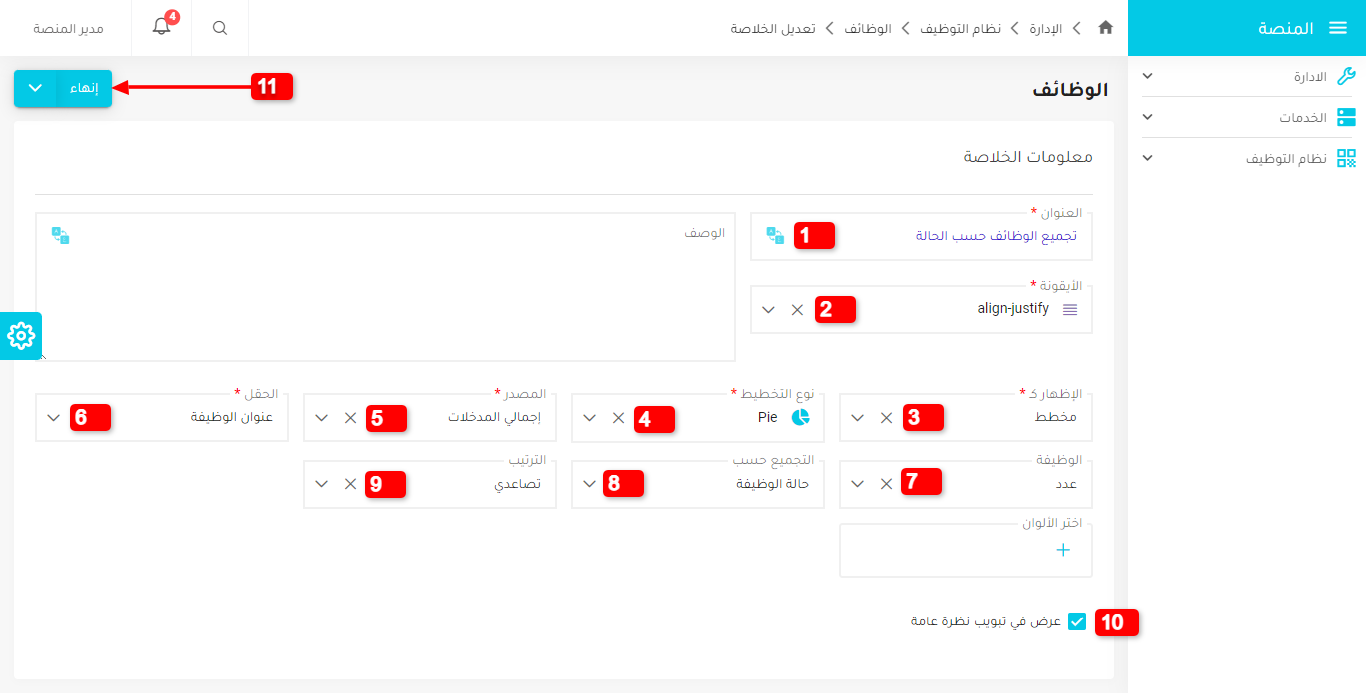
Section titled “Jobs by status chart”- Add a second summary:
- Title (required): Jobs by status.
- Icon (required): align-justify.
- Show as (required): Chart.
- Chart type (required): Doughnut.
- Source (required): All entries.
- Field (required): Job title.
- Function: Count.
- Group by: Job status.
- Order by: Ascending.
- Select colors: pick the colours you like.
- Turn on Display in overview tab.
- Select Done, then confirm to save the summary.
Job Application dashboard
Section titled “Job Application dashboard”- Open the Job Application service as an entity.
- Open the Dashboard tab.
- Select Add Summary.
- The Summary Information form opens.
Applications by status chart
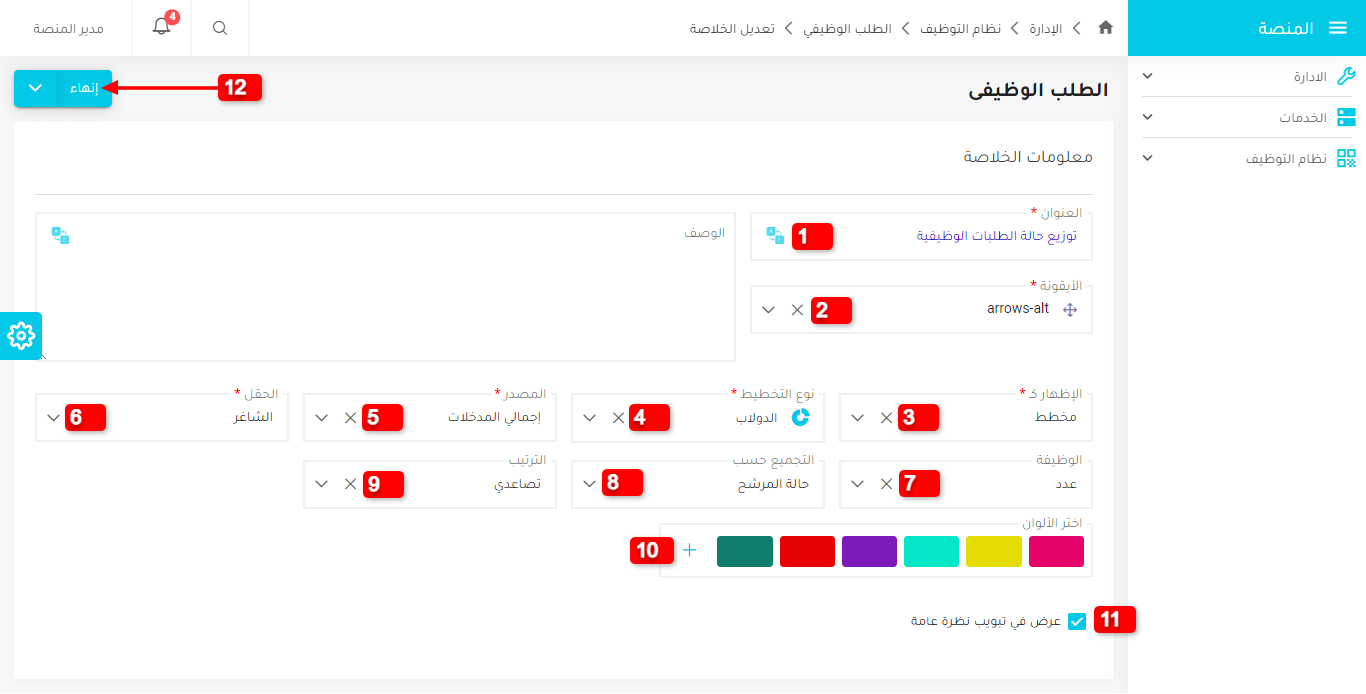
Section titled “Applications by status chart”- Fill in the summary:
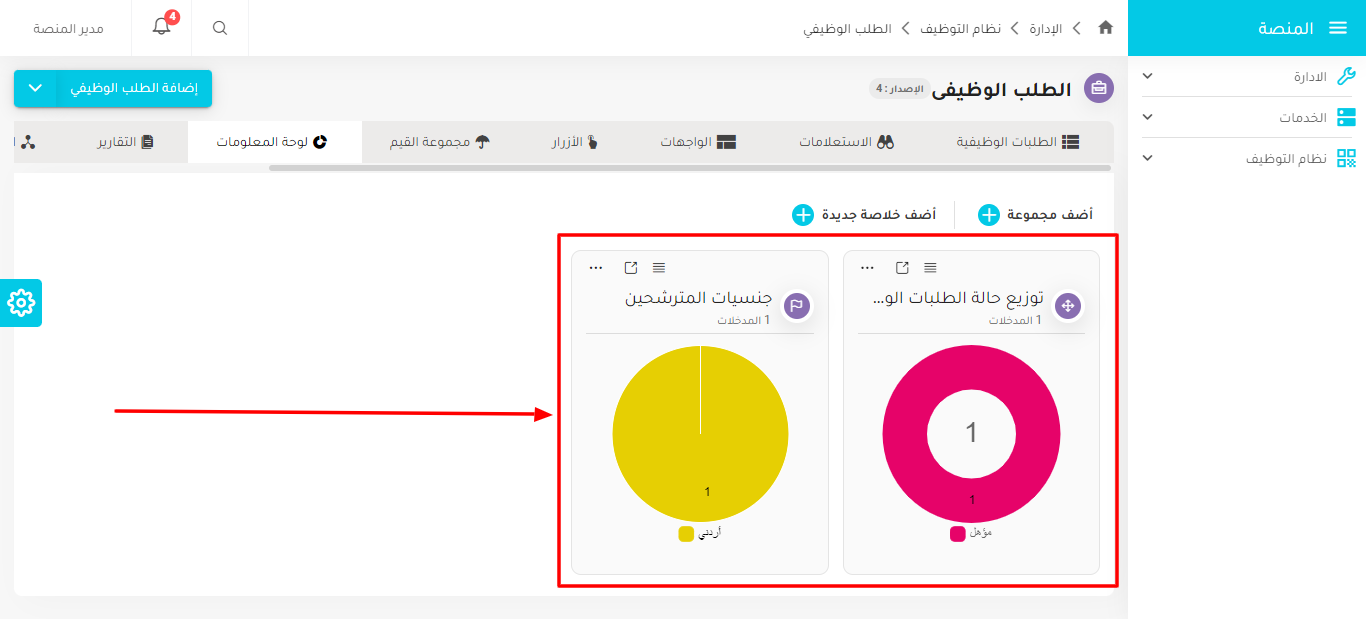
- Title (required): Applications by status.
- Icon (required): arrows-alt.
- Show as (required): Chart.
- Chart type (required): Doughnut.
- Source (required): All entries.
- Field (required): Vacancy, from the Candidate information block.
- Function: Count.
- Group by: Candidate status, from the Initial evaluation block.
- Order by: Ascending.
- Select colors: pick the colours you like.
- Turn on Display in overview tab.
- Select Done, then confirm to save the summary.
Candidates by nationality chart
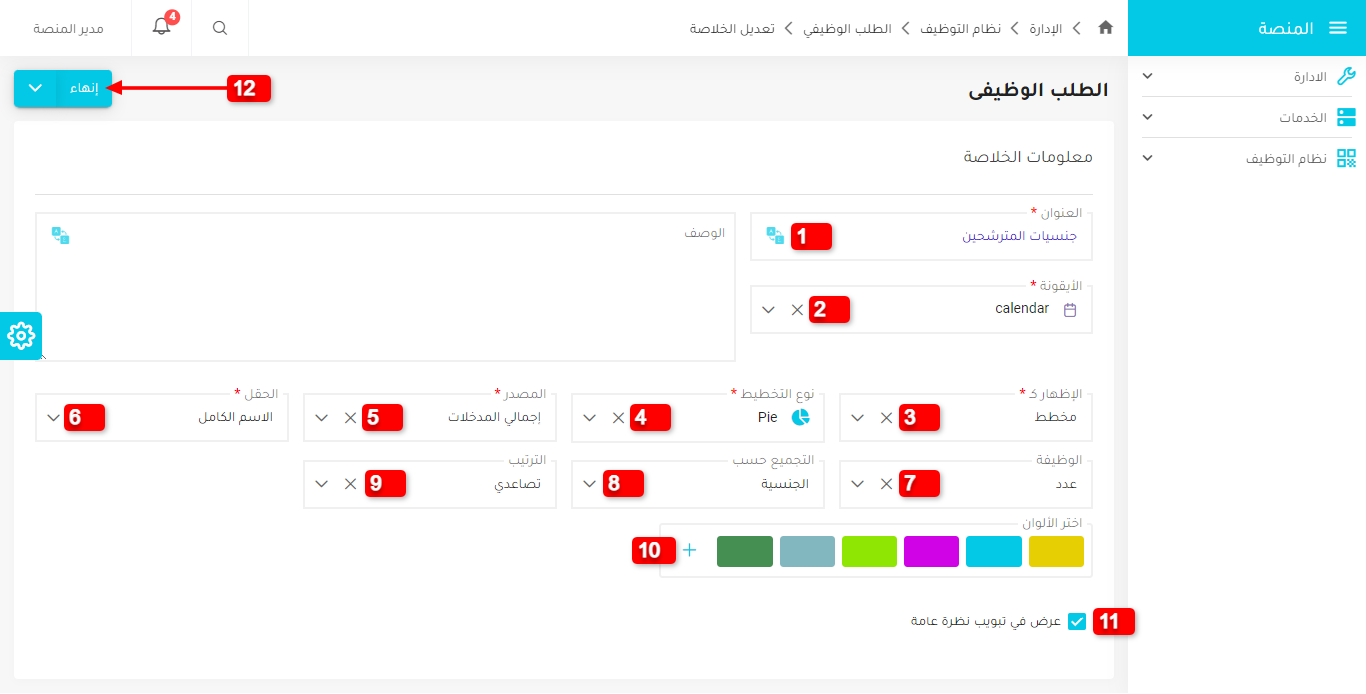
Section titled “Candidates by nationality chart”- Add a second summary:
- Title (required): Candidate nationalities.
- Icon (required): flag.
- Show as (required): Chart.
- Chart type (required): Pie.
- Source (required): All entries.
- Field (required): Full name, from the Candidate information block.
- Function: Count.
- Group by: Nationality.
- Order by: Ascending.
- Select colors: pick the colours you like.
- Turn on Display in overview tab.
- Select Done, then confirm to save the summary.
Platform 1.10.0 · Backend 1.11.0-alpha.11 · Frontend 1.11.0-alpha.6 · Mobile 1.10.2 · Chart 1.11.8 · Gateway 2.6.11 · MCP 0.2.0 · Grafana DS 1.2.0Docs build 2026-11-27