

Receptions Entity
Section titled “Receptions Entity”The Receptions entity holds welcome posts that introduce new employees to the company. Each reception is published on the company timeline.
Note: this page gives only what is specific to the Receptions entity: its settings, structure, reactions and timeline. For the step-by-step screens, follow the Jobs entity page.
Create the Receptions entity
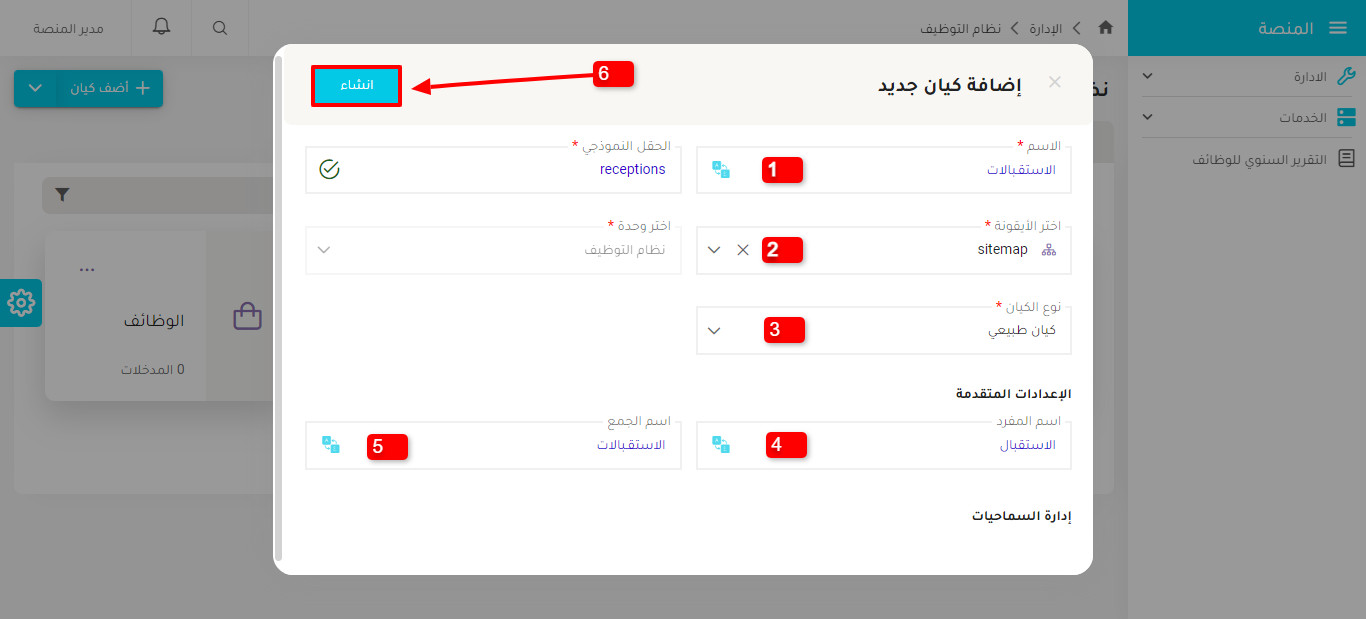
Section titled “Create the Receptions entity”- Name: Receptions, in Arabic and English.
- Select Icon: gift.
- Data Entity Type: Normal Entity.
- Under Field Settings: Single Name Reception and Plural Name Receptions.
Structure
Section titled “Structure”-
Welcome post block
- Title: Text, with rich text turned on.
- Description: Text, with rich text and multiple lines turned on.
- Welcome image: Image.
- Publish date: Date, the day the welcome post goes out.
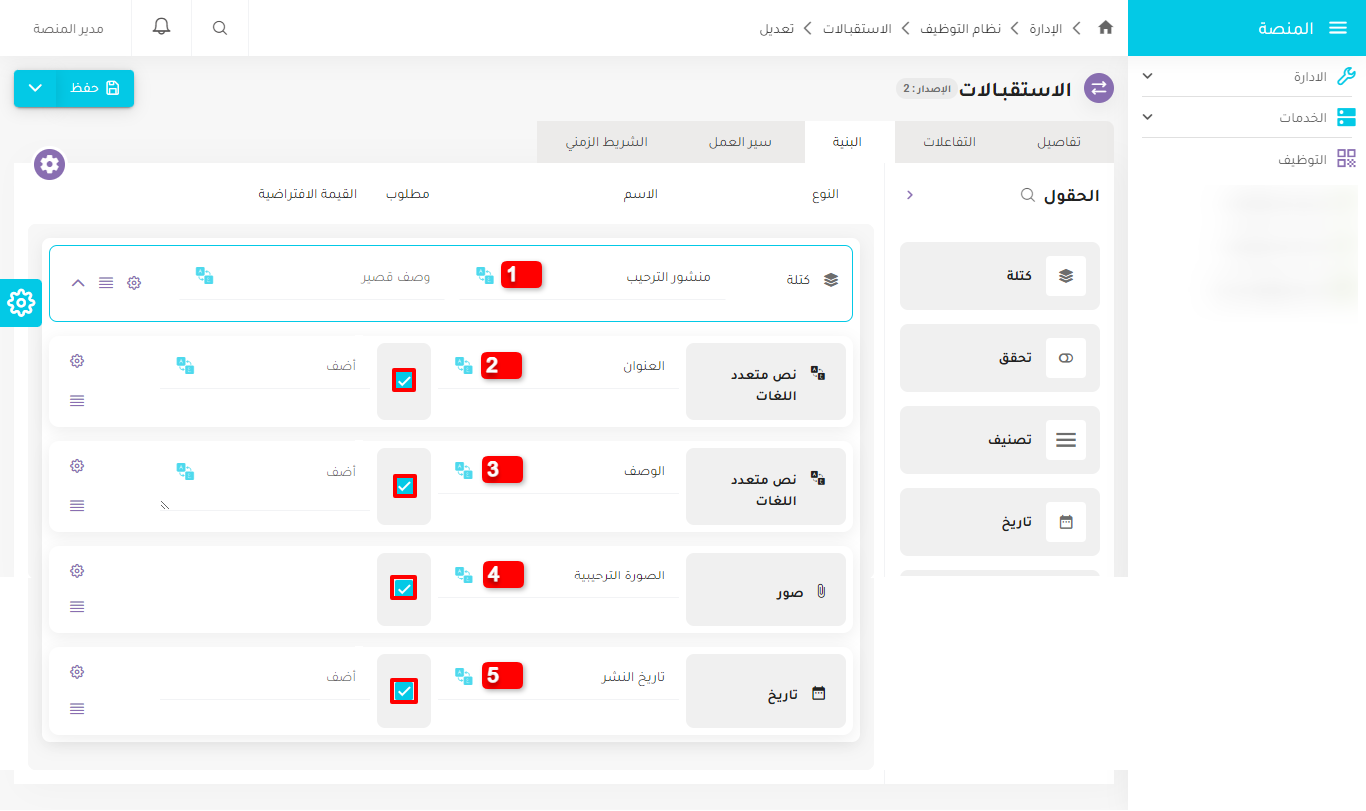
- Select Save at the top of the page to keep your changes.
Reactions
Section titled “Reactions”-
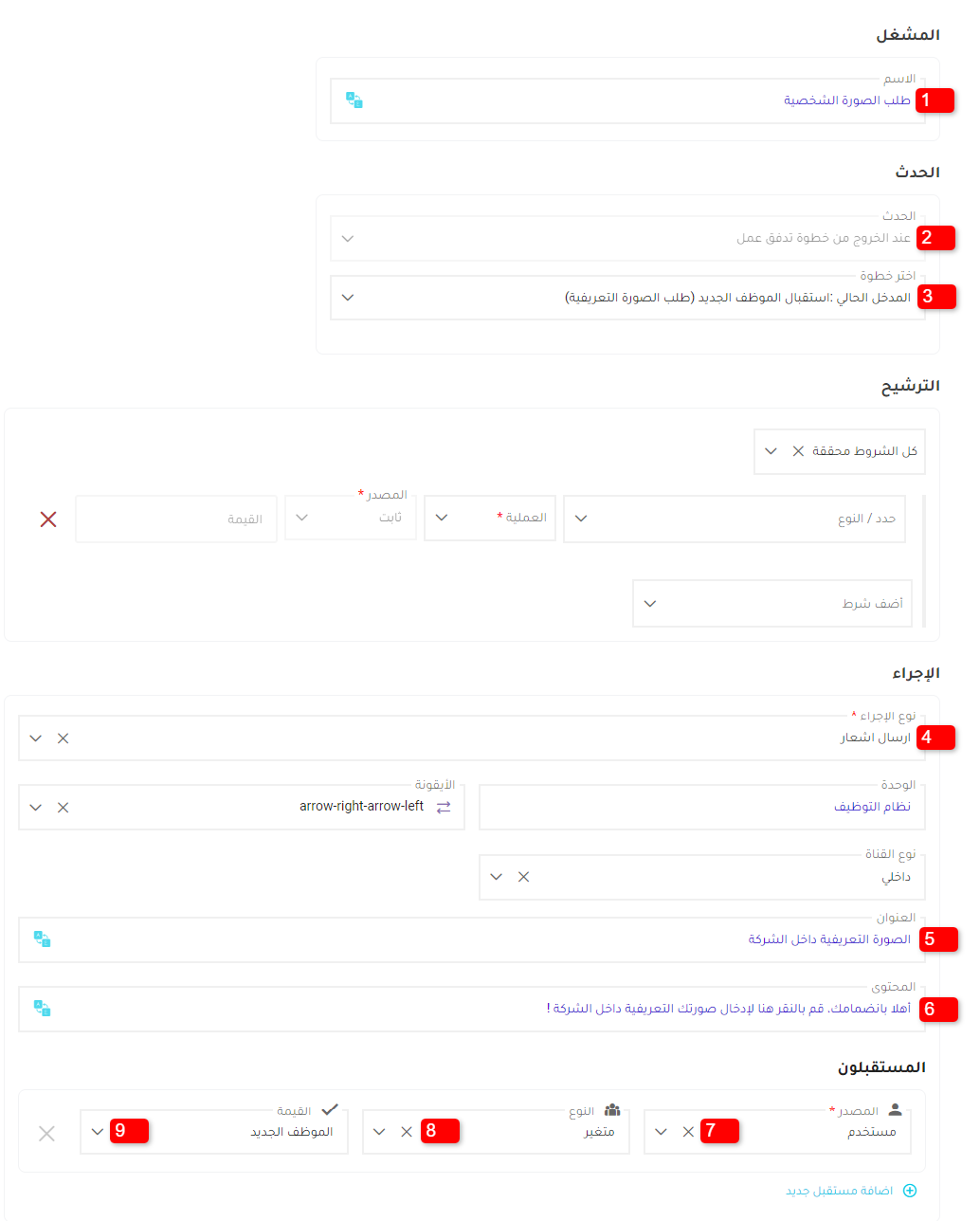
Request a profile photo
- Event: On Entry Created
- Action: Send Notification
- Recipients: the HR group
Timeline
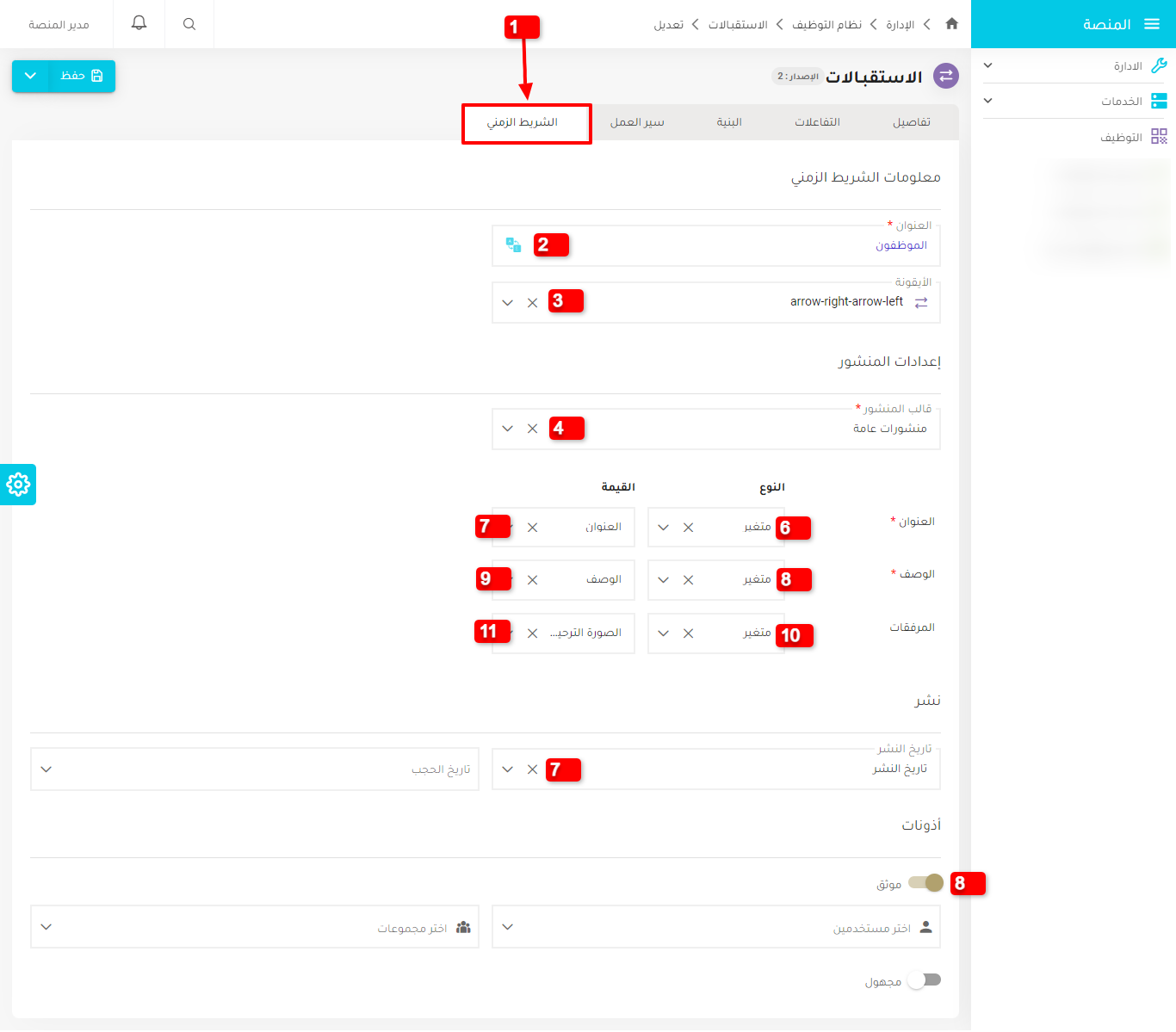
Section titled “Timeline”In the entity designer, open the Timeline tab and add a timeline:
- Timeline Information: Title Employees and the Icon users.
- Post Configuration: Post Template General Post; the post’s title from Field › Title, its description from Field › Description, and its attachments from Field › Welcome image.
- Publish: Publish Date › Publish date.
- Permissions: turn on Authenticated, so signed-in employees see the posts.
Select Save at the top of the page.
Platform 1.10.0 · Backend 1.11.0-alpha.11 · Frontend 1.11.0-alpha.6 · Mobile 1.10.2 · Chart 1.11.8 · Gateway 2.6.11 · MCP 0.2.0 · Grafana DS 1.2.0Docs build 2026-11-27