

Building the Job Application Views
Section titled “Building the Job Application Views”HR works on applications in a view of the Job Application service. Because it shows candidates’ personal data, this view is open to HR only. For more about views, see Views.
Build the “HR view”
Section titled “Build the “HR view””- Open the Job Application service as an entity (from the module’s Entities tab).
- Open the Views tab.
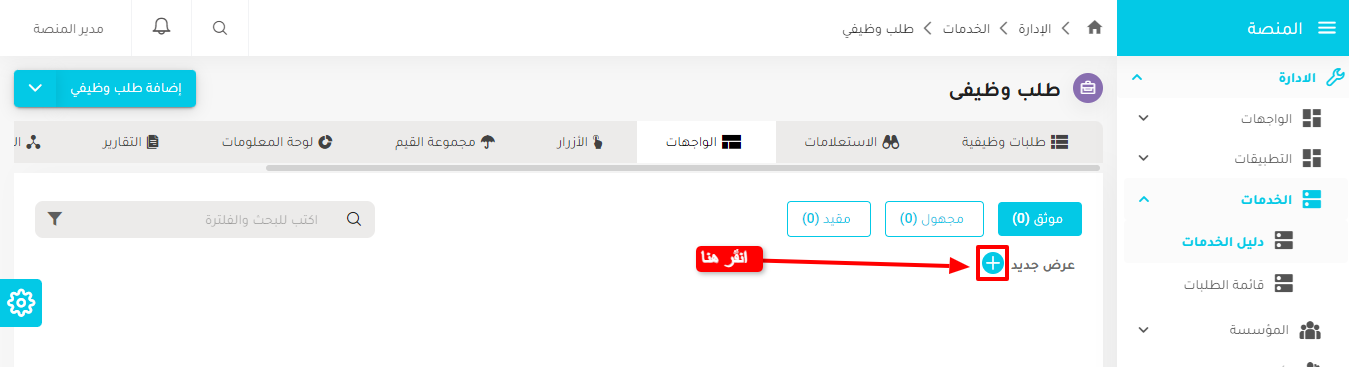
- Select the + next to New View.
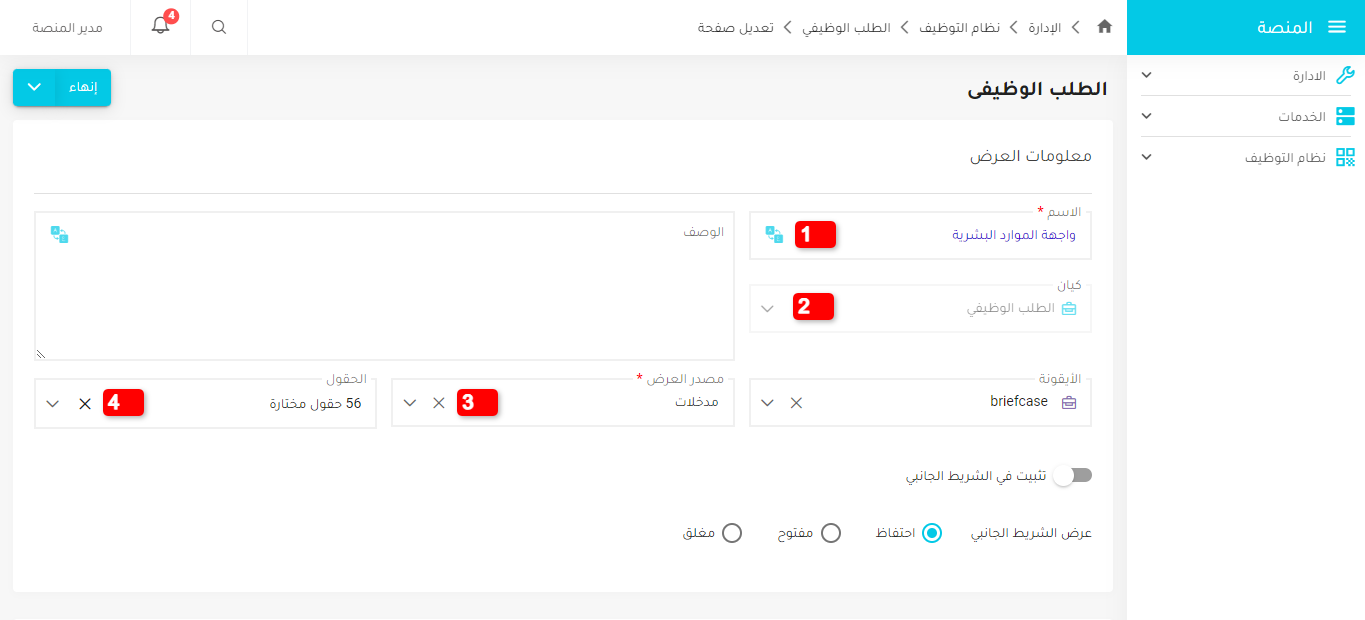
- In View information, fill in:
- Name: HR view.
- Icon: folder.
- Source view: Entries.
- Fields: select all fields.
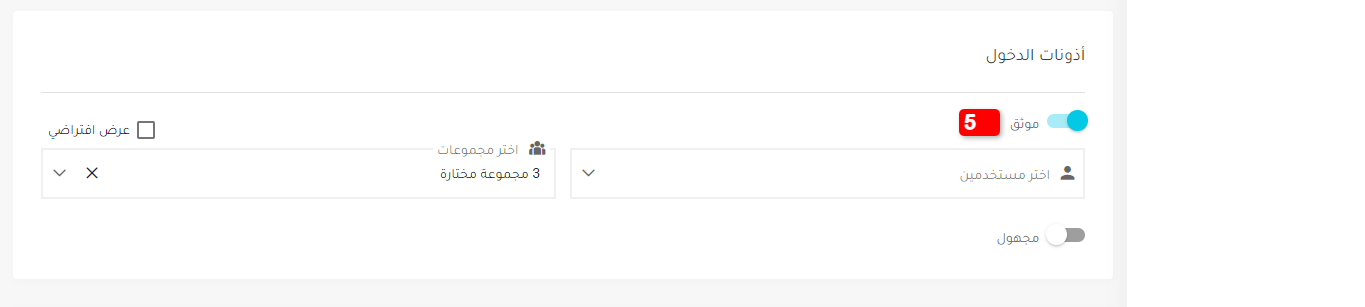
Access Permission
Section titled “Access Permission”- Turn on Authenticated and, in Select groups, choose HR and any other group that handles applications. Leave Anonymous off: this view shows candidates’ personal data.
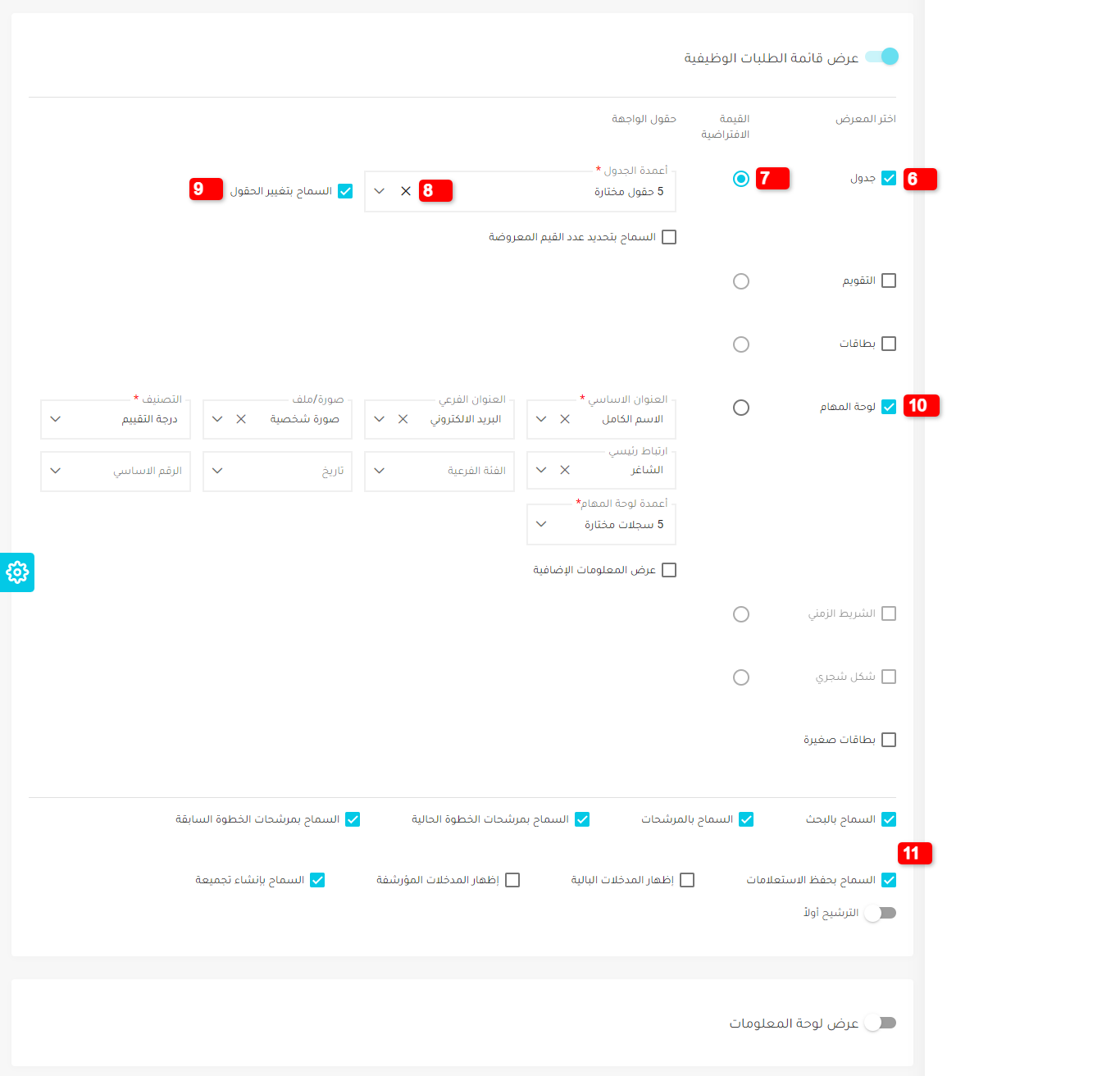
Entries list
Section titled “Entries list”Turn on Entries list. Under Displays:
- Select Table view and make it the Default.
- Also select Kanban view.
Entries details
Section titled “Entries details”- Turn on Entries details, which shows an application’s full details, and select all fields.
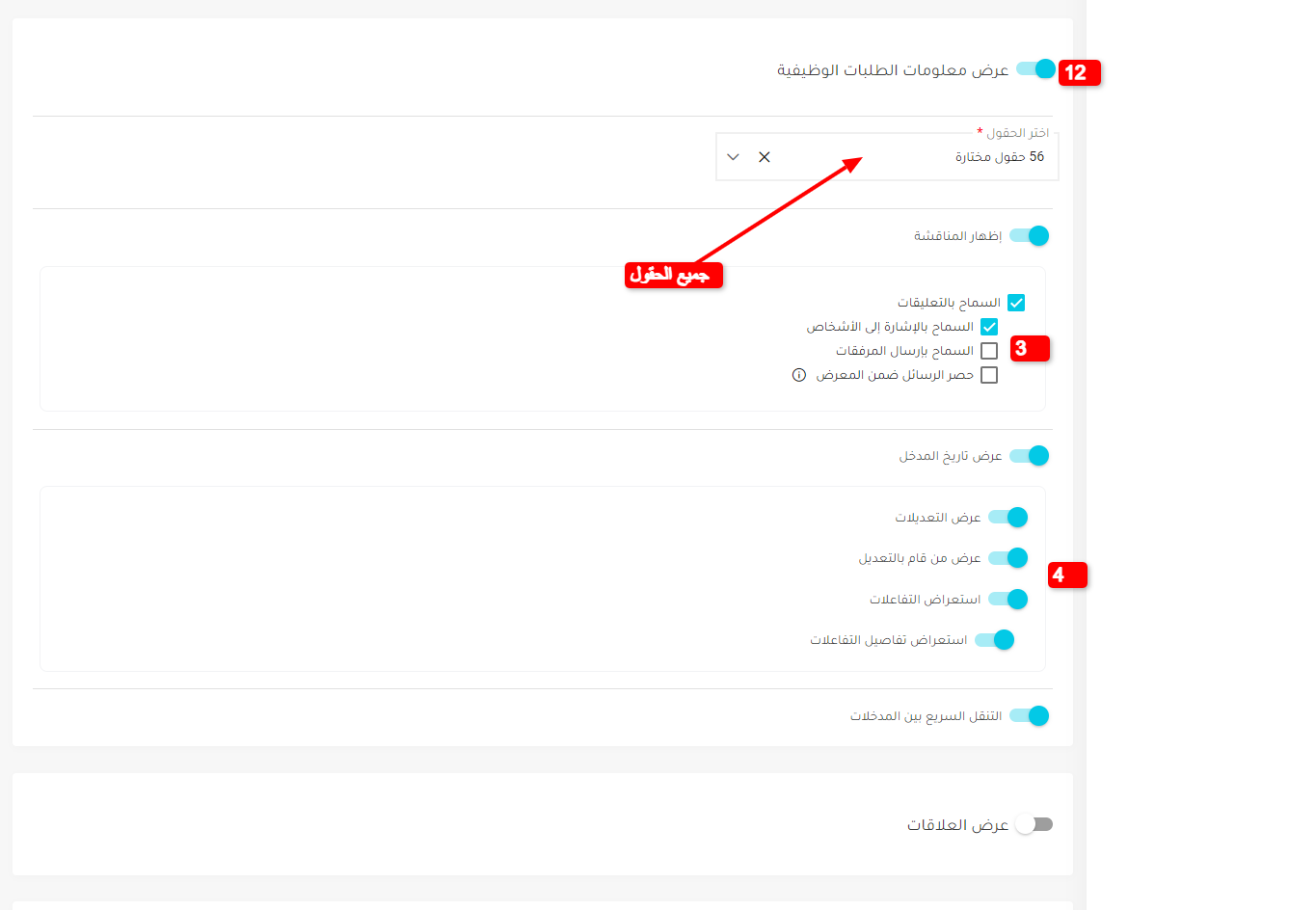
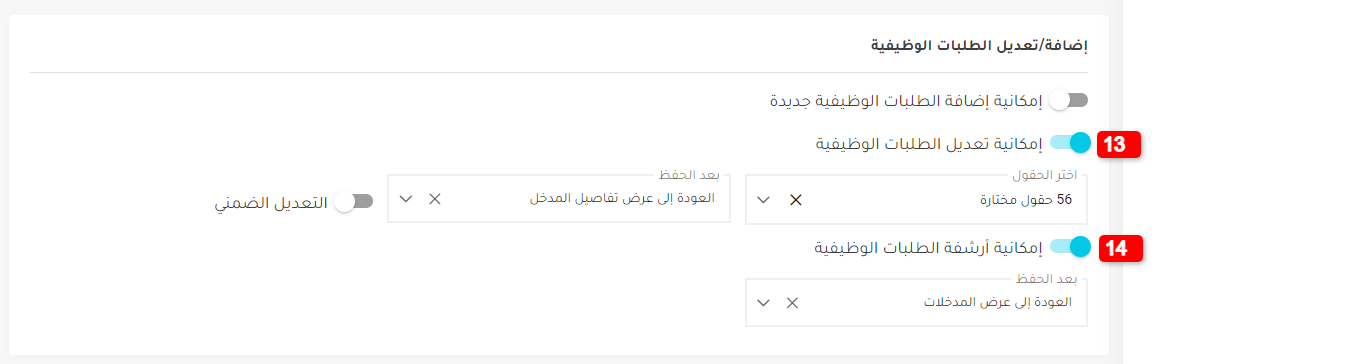
Adding and editing applications
Section titled “Adding and editing applications”- Turn on Creating new entries and Editing entries, with the settings shown in the screenshot.
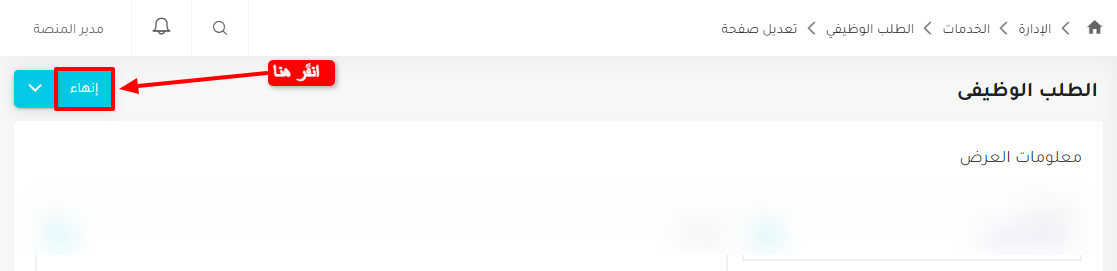
Save the view
Section titled “Save the view”- Select Save at the top of the view designer.
Platform 1.10.0 · Backend 1.11.0-alpha.11 · Frontend 1.11.0-alpha.6 · Mobile 1.10.2 · Chart 1.11.8 · Gateway 2.6.11 · MCP 0.2.0 · Grafana DS 1.2.0Docs build 2026-11-27