

Creating Queries
Section titled “Creating Queries”A query is a saved filter. You create three on the Jobs entity, and each one is used elsewhere in the system:
| Query | Used by |
|---|---|
| My jobs | The All jobs view, as a quick filter that shows each person the jobs they created. |
| Open jobs | The Available jobs view and the Open jobs dashboard summary. |
| Jobs this year | The Annual jobs report. |
For more about queries, see Queries.
-
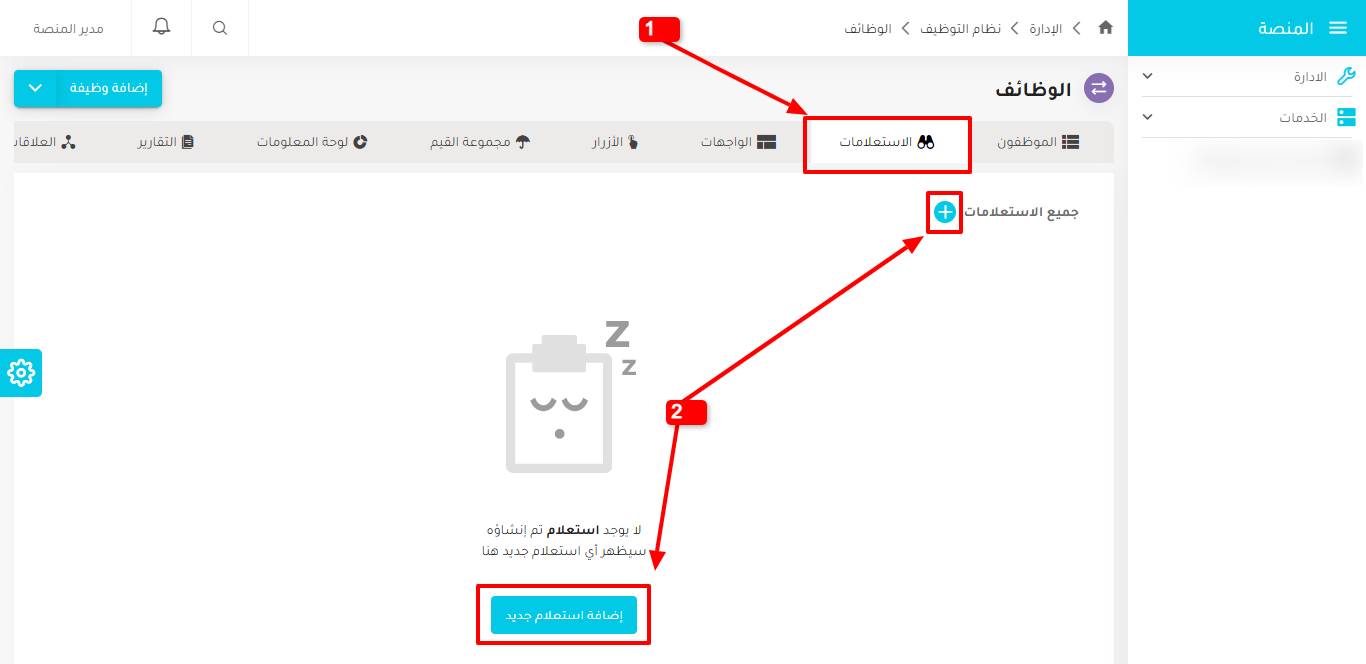
Open the Jobs entity and its Queries tab.
-
Select the + next to New Query.
-
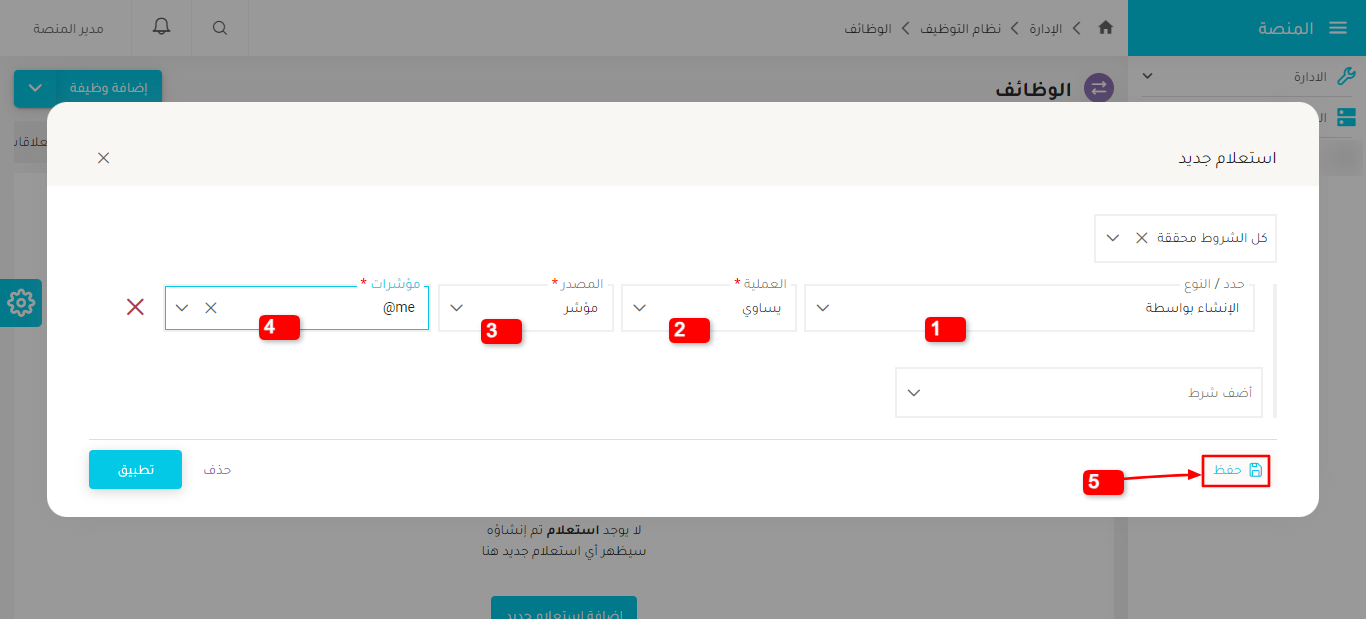
The New Query dialog opens. Fill in the condition:
-
My jobs (the jobs the signed-in user created)
-
Field: choose Created by from the entry’s attributes.
-
Operator: Equal.
-
Source: Pointer.
-
Pointers:
@me, the signed-in user.
-
-
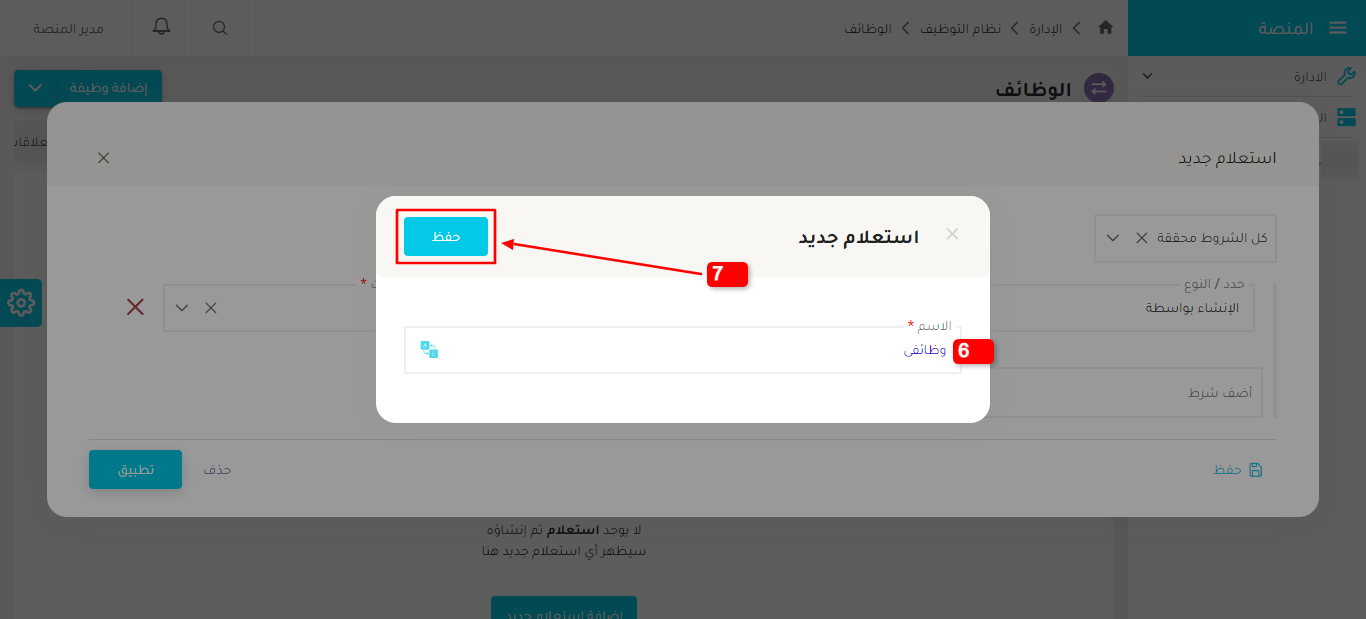
Select Save. A second dialog asks for the query’s name: enter My jobs. Tick Quick Filter and leave its Name blank, so the quick filter is also called My jobs.
-
Select Save. The query is saved.
-
Add the second query the same way:
-
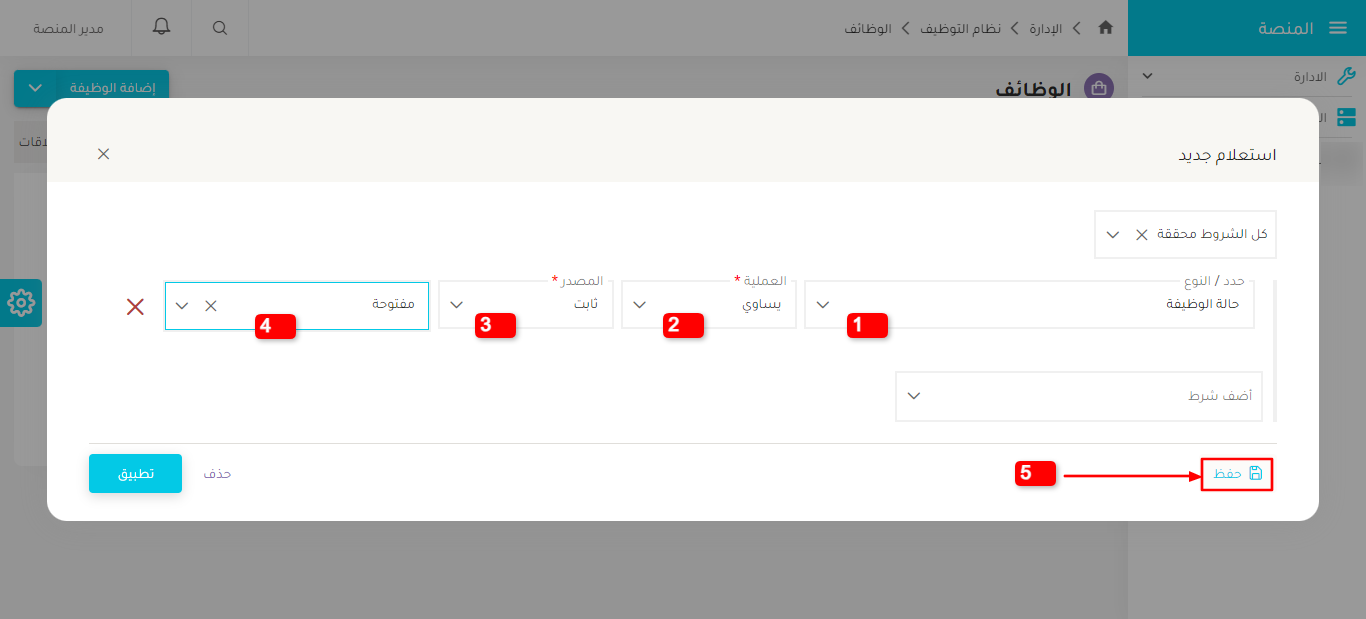
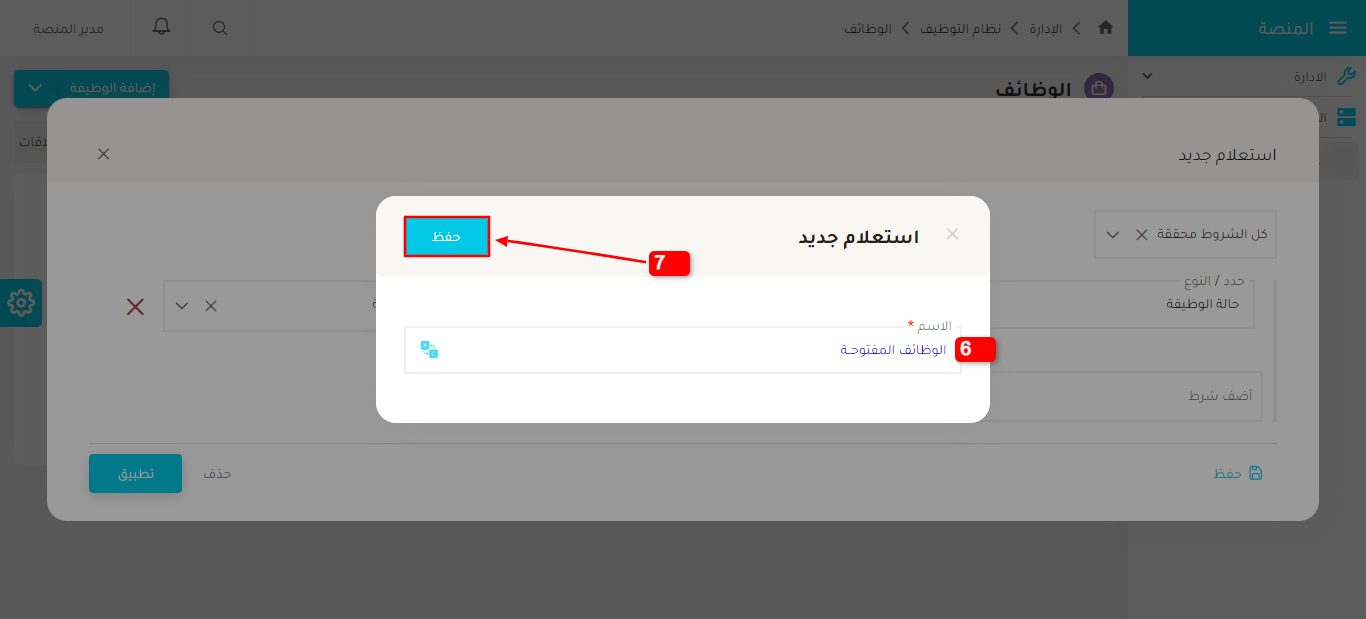
Open jobs (the jobs that are still open)
- Field: Job status. Operator: Equal. Source: Fixed. Value: Open.
- Name it Open jobs.
-
Add the third query the same way:
-
Jobs this year (the jobs created since 1 January of the current year)
- Field: choose Created at from the entry’s attributes. Operator: >=. Source: Pointer. Pointers: @StartOfYear.
- Name it Jobs this year.
The report that uses this query is sent on 31 December, so @StartOfYear is 1 January of the year the report covers.
-
Platform 1.10.0 · Backend 1.11.0-alpha.11 · Frontend 1.11.0-alpha.6 · Mobile 1.10.2 · Chart 1.11.8 · Gateway 2.6.11 · MCP 0.2.0 · Grafana DS 1.2.0Docs build 2026-11-27